You're covered by the statutory 2-year warranty. Contact us and we'll handle the entire process with the store, ensuring your issue is resolved with prompt support through a repair, replacement, or refund.
What if I change my mind?
No problem, as long as it's within 14 days. We'll come pick it up or you can choose the Skroutz Point that suits you, completely free for up to 2 times per year, and we'll refund your money. Get Skroutz Plus to enjoy unlimited free returns.
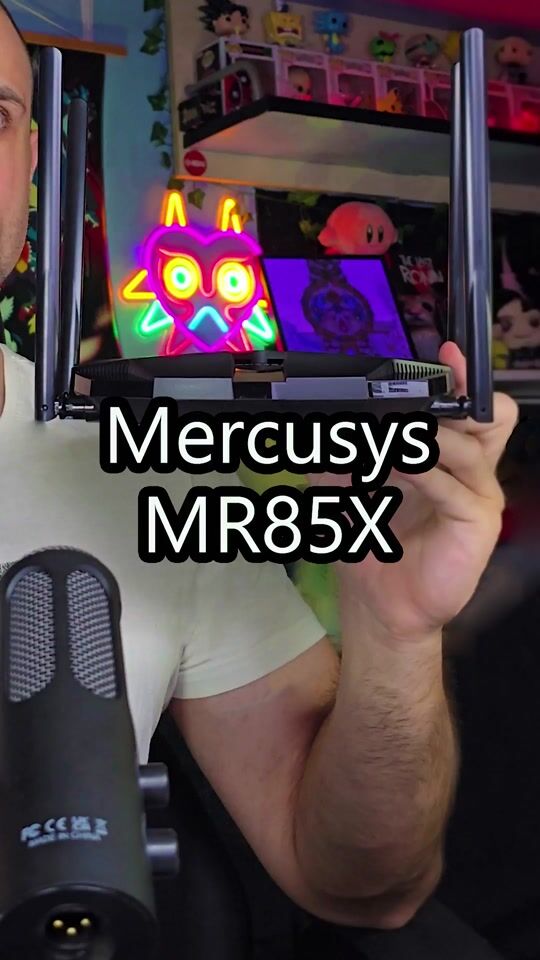
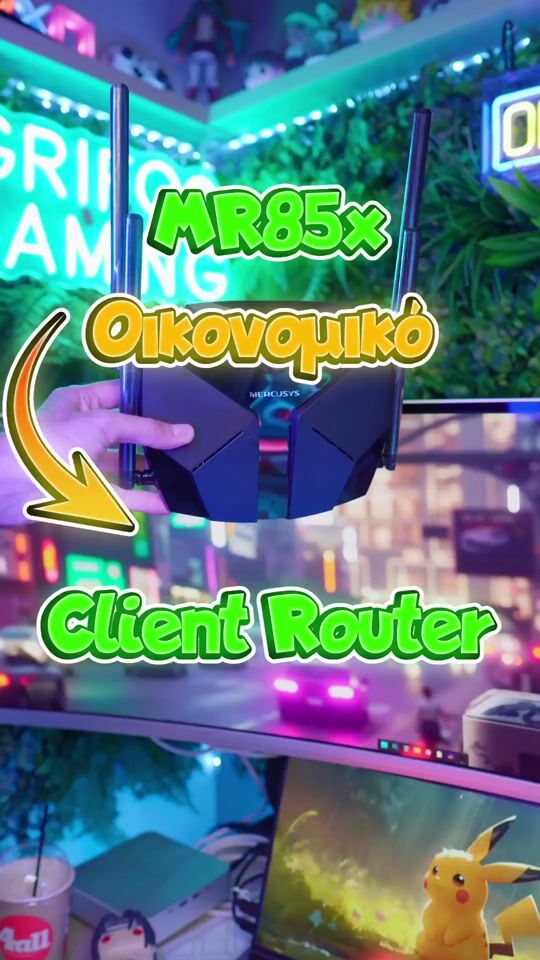
The Mercusys MR85X AX3000 router features powerful high-performance antennas with Beamforming technology and EasyMesh support, providing reliable coverage in every corner of your home. It includes a Multi-Gigabit 2.5 Gbps port and supports OFDMA & MU-MIMO, allowing up to 4 times more devices to connect simultaneously. It offers complete security with WPA3 and has an Access Point mode capability. The MERCUSYS App makes network management easy, making it an ideal solution for fast, stable, and secure Wi-Fi.
Specifications are collected from official manufacturer websites. Please verify the specifications before proceeding with your final purchase. If you notice any problem you can report it here.
2 out of 5 because it lags (spike lags) when I play, while the 20€ Xiaomi didn't lag at all and gave up to 100mbs. I have set up the settings, it gives full speed but what's the point when you have spike lags even with QoS on, Google says to turn it off so it doesn't happen. Choose something else, don't waste your money here.
2 στα 5 γιατι κολλαει (spike lags ) οταν παιζω ενω το xiaomi των 20ε δεν κολλαγε καθολου ενω εδινε μεχρι 100mbs., τις ρυθμισεις τις εχω κανει αυτο δινει φουλ ταχυτητα αλλα τι να το κανεις οταν εχεις spike lags ακομα και με qos on , το google λεει να το απενεργοποιησω για μην το κανει. διαλεξτε κατι αλλο μην πεταξτε τα λεφτα σας εδω.
After hours of torment, burnt coffee, and endless screen time, I finally made it work. Yes, my friends, the MR85X is not for the faint of heart.
What did I do? I almost did voodoo networking, invoked ancient spirits and the Twelve Olympians — Athena, Hermes, even Poseidon joined the game to shed some light for me. ️
The solution, then, is simple and works with any VPN client (Surfshark, NordVPN, ProtonVPN, or others):
Download the configuration file of the server you want.
Fill in the necessary fields (PrivateKey / PublicKey / Address).
AND THE IMPORTANT PART: set static DNS (e.g. 1.1.1.1, 9.9.9.9) and not automatic, otherwise your router will cast you into the darkness of the internet.
With this, the devices that go through the VPN don’t die, the internet works normally, and we can sleep peacefully, knowing that the magic of our settings didn’t go to waste.
Οδηγός επιβίωσης για MR85X + VPN
Μετά από ώρες βασανιστηρίων, καψίματος καφέ και ατελείωτης οθόνης, τελικά τα κατάφερα και δούλεψε. Ναι, φίλοι μου, το MR85X δεν είναι για τους αδύναμους καρδιάς.
Τι έκανα εγώ; Έκανα σχεδόν voodoo networking, επίκληση αρχαίων πνευμάτων και του Δωδεκάθεου — Αθηνά, Ερμής, ακόμα και ο Ποσειδώνας μπήκαν στο παιχνίδι για να μου δώσουν το φως. ️
Η λύση, λοιπόν, είναι απλή και λειτουργεί με οποιονδήποτε VPN client (Surfshark, NordVPN, ProtonVPN ή άλλον):
Κατεβάζουμε το configuration αρχείο του server που θέλουμε.
Συμπληρώνουμε τα απαραίτητα πεδία (PrivateKey / PublicKey / Address).
ΚΑΙ ΤΟ ΣΗΜΑΝΤΙΚΟ: βάζουμε στατικά DNS (π.χ. 1.1.1.1, 9.9.9.9) και όχι αυτόματα, αλλιώς ο router μας ρίχνει στο σκοτάδι του internet.
Με αυτά, οι συσκευές που περνάνε μέσω VPN δεν πεθαίνουν, το internet δουλεύει κανονικά και μπορούμε να κοιμόμαστε ήσυχοι, ξέροντας ότι η μαγεία των ρυθμίσεων μας δεν πήγε χαμένη.
I consider it to be one of the most VFM WiFi 6 Routers currently on the market. Also, check out the video I have uploaded as I talk more in detail about the product.
Θεωρώ πως είναι ένα από τα πιο VFM WiFi 6 Router αυτή τη στιγμή στην αγορά. Δείτε και το βίντεο που έχω ανεβάσει καθώς μιλάω πιο αναλυτικά για το προϊόν.
2 out of 5 because it lags (spike lags) when I play, while the 20€ Xiaomi didn't lag at all and gave up to 100mbs. I have set up the settings, it gives full speed but what's the point when you have spike lags even with QoS on, Google says to turn it off so it doesn't happen. Choose something else, don't waste your money here.
2 στα 5 γιατι κολλαει (spike lags ) οταν παιζω ενω το xiaomi των 20ε δεν κολλαγε καθολου ενω εδινε μεχρι 100mbs., τις ρυθμισεις τις εχω κανει αυτο δινει φουλ ταχυτητα αλλα τι να το κανεις οταν εχεις spike lags ακομα και με qos on , το google λεει να το απενεργοποιησω για μην το κανει. διαλεξτε κατι αλλο μην πεταξτε τα λεφτα σας εδω.
After hours of torment, burnt coffee, and endless screen time, I finally made it work. Yes, my friends, the MR85X is not for the faint of heart.
What did I do? I almost did voodoo networking, invoked ancient spirits and the Twelve Olympians — Athena, Hermes, even Poseidon joined the game to shed some light for me. ️
The solution, then, is simple and works with any VPN client (Surfshark, NordVPN, ProtonVPN, or others):
Download the configuration file of the server you want.
Fill in the necessary fields (PrivateKey / PublicKey / Address).
AND THE IMPORTANT PART: set static DNS (e.g. 1.1.1.1, 9.9.9.9) and not automatic, otherwise your router will cast you into the darkness of the internet.
With this, the devices that go through the VPN don’t die, the internet works normally, and we can sleep peacefully, knowing that the magic of our settings didn’t go to waste.
Οδηγός επιβίωσης για MR85X + VPN
Μετά από ώρες βασανιστηρίων, καψίματος καφέ και ατελείωτης οθόνης, τελικά τα κατάφερα και δούλεψε. Ναι, φίλοι μου, το MR85X δεν είναι για τους αδύναμους καρδιάς.
Τι έκανα εγώ; Έκανα σχεδόν voodoo networking, επίκληση αρχαίων πνευμάτων και του Δωδεκάθεου — Αθηνά, Ερμής, ακόμα και ο Ποσειδώνας μπήκαν στο παιχνίδι για να μου δώσουν το φως. ️
Η λύση, λοιπόν, είναι απλή και λειτουργεί με οποιονδήποτε VPN client (Surfshark, NordVPN, ProtonVPN ή άλλον):
Κατεβάζουμε το configuration αρχείο του server που θέλουμε.
Συμπληρώνουμε τα απαραίτητα πεδία (PrivateKey / PublicKey / Address).
ΚΑΙ ΤΟ ΣΗΜΑΝΤΙΚΟ: βάζουμε στατικά DNS (π.χ. 1.1.1.1, 9.9.9.9) και όχι αυτόματα, αλλιώς ο router μας ρίχνει στο σκοτάδι του internet.
Με αυτά, οι συσκευές που περνάνε μέσω VPN δεν πεθαίνουν, το internet δουλεύει κανονικά και μπορούμε να κοιμόμαστε ήσυχοι, ξέροντας ότι η μαγεία των ρυθμίσεων μας δεν πήγε χαμένη.
I consider it to be one of the most VFM WiFi 6 Routers currently on the market. Also, check out the video I have uploaded as I talk more in detail about the product.
Θεωρώ πως είναι ένα από τα πιο VFM WiFi 6 Router αυτή τη στιγμή στην αγορά. Δείτε και το βίντεο που έχω ανεβάσει καθώς μιλάω πιο αναλυτικά για το προϊόν.
The Mercusys MR85X AX3000 router features powerful high-performance antennas with Beamforming technology and EasyMesh support, providing reliable coverage in every corner of your home. It includes a Multi-Gigabit 2.5 Gbps port and supports OFDMA & MU-MIMO, allowing up to 4 times more devices to connect simultaneously. It offers complete security with WPA3 and has an Access Point mode capability. The MERCUSYS App makes network management easy, making it an ideal solution for fast, stable, and secure Wi-Fi.
Specifications are collected from official manufacturer websites. Please verify the specifications before proceeding with your final purchase. If you notice any problem you can report it here.
2 out of 5 because it lags (spike lags) when I play, while the 20€ Xiaomi didn't lag at all and gave up to 100mbs. I have set up the settings, it gives full speed but what's the point when you have spike lags even with QoS on, Google says to turn it off so it doesn't happen. Choose something else, don't waste your money here.
2 στα 5 γιατι κολλαει (spike lags ) οταν παιζω ενω το xiaomi των 20ε δεν κολλαγε καθολου ενω εδινε μεχρι 100mbs., τις ρυθμισεις τις εχω κανει αυτο δινει φουλ ταχυτητα αλλα τι να το κανεις οταν εχεις spike lags ακομα και με qos on , το google λεει να το απενεργοποιησω για μην το κανει. διαλεξτε κατι αλλο μην πεταξτε τα λεφτα σας εδω.
After hours of torment, burnt coffee, and endless screen time, I finally made it work. Yes, my friends, the MR85X is not for the faint of heart.
What did I do? I almost did voodoo networking, invoked ancient spirits and the Twelve Olympians — Athena, Hermes, even Poseidon joined the game to shed some light for me. ️
The solution, then, is simple and works with any VPN client (Surfshark, NordVPN, ProtonVPN, or others):
Download the configuration file of the server you want.
Fill in the necessary fields (PrivateKey / PublicKey / Address).
AND THE IMPORTANT PART: set static DNS (e.g. 1.1.1.1, 9.9.9.9) and not automatic, otherwise your router will cast you into the darkness of the internet.
With this, the devices that go through the VPN don’t die, the internet works normally, and we can sleep peacefully, knowing that the magic of our settings didn’t go to waste.
Οδηγός επιβίωσης για MR85X + VPN
Μετά από ώρες βασανιστηρίων, καψίματος καφέ και ατελείωτης οθόνης, τελικά τα κατάφερα και δούλεψε. Ναι, φίλοι μου, το MR85X δεν είναι για τους αδύναμους καρδιάς.
Τι έκανα εγώ; Έκανα σχεδόν voodoo networking, επίκληση αρχαίων πνευμάτων και του Δωδεκάθεου — Αθηνά, Ερμής, ακόμα και ο Ποσειδώνας μπήκαν στο παιχνίδι για να μου δώσουν το φως. ️
Η λύση, λοιπόν, είναι απλή και λειτουργεί με οποιονδήποτε VPN client (Surfshark, NordVPN, ProtonVPN ή άλλον):
Κατεβάζουμε το configuration αρχείο του server που θέλουμε.
Συμπληρώνουμε τα απαραίτητα πεδία (PrivateKey / PublicKey / Address).
ΚΑΙ ΤΟ ΣΗΜΑΝΤΙΚΟ: βάζουμε στατικά DNS (π.χ. 1.1.1.1, 9.9.9.9) και όχι αυτόματα, αλλιώς ο router μας ρίχνει στο σκοτάδι του internet.
Με αυτά, οι συσκευές που περνάνε μέσω VPN δεν πεθαίνουν, το internet δουλεύει κανονικά και μπορούμε να κοιμόμαστε ήσυχοι, ξέροντας ότι η μαγεία των ρυθμίσεων μας δεν πήγε χαμένη.
I consider it to be one of the most VFM WiFi 6 Routers currently on the market. Also, check out the video I have uploaded as I talk more in detail about the product.
Θεωρώ πως είναι ένα από τα πιο VFM WiFi 6 Router αυτή τη στιγμή στην αγορά. Δείτε και το βίντεο που έχω ανεβάσει καθώς μιλάω πιο αναλυτικά για το προϊόν.
2 out of 5 because it lags (spike lags) when I play, while the 20€ Xiaomi didn't lag at all and gave up to 100mbs. I have set up the settings, it gives full speed but what's the point when you have spike lags even with QoS on, Google says to turn it off so it doesn't happen. Choose something else, don't waste your money here.
2 στα 5 γιατι κολλαει (spike lags ) οταν παιζω ενω το xiaomi των 20ε δεν κολλαγε καθολου ενω εδινε μεχρι 100mbs., τις ρυθμισεις τις εχω κανει αυτο δινει φουλ ταχυτητα αλλα τι να το κανεις οταν εχεις spike lags ακομα και με qos on , το google λεει να το απενεργοποιησω για μην το κανει. διαλεξτε κατι αλλο μην πεταξτε τα λεφτα σας εδω.
After hours of torment, burnt coffee, and endless screen time, I finally made it work. Yes, my friends, the MR85X is not for the faint of heart.
What did I do? I almost did voodoo networking, invoked ancient spirits and the Twelve Olympians — Athena, Hermes, even Poseidon joined the game to shed some light for me. ️
The solution, then, is simple and works with any VPN client (Surfshark, NordVPN, ProtonVPN, or others):
Download the configuration file of the server you want.
Fill in the necessary fields (PrivateKey / PublicKey / Address).
AND THE IMPORTANT PART: set static DNS (e.g. 1.1.1.1, 9.9.9.9) and not automatic, otherwise your router will cast you into the darkness of the internet.
With this, the devices that go through the VPN don’t die, the internet works normally, and we can sleep peacefully, knowing that the magic of our settings didn’t go to waste.
Οδηγός επιβίωσης για MR85X + VPN
Μετά από ώρες βασανιστηρίων, καψίματος καφέ και ατελείωτης οθόνης, τελικά τα κατάφερα και δούλεψε. Ναι, φίλοι μου, το MR85X δεν είναι για τους αδύναμους καρδιάς.
Τι έκανα εγώ; Έκανα σχεδόν voodoo networking, επίκληση αρχαίων πνευμάτων και του Δωδεκάθεου — Αθηνά, Ερμής, ακόμα και ο Ποσειδώνας μπήκαν στο παιχνίδι για να μου δώσουν το φως. ️
Η λύση, λοιπόν, είναι απλή και λειτουργεί με οποιονδήποτε VPN client (Surfshark, NordVPN, ProtonVPN ή άλλον):
Κατεβάζουμε το configuration αρχείο του server που θέλουμε.
Συμπληρώνουμε τα απαραίτητα πεδία (PrivateKey / PublicKey / Address).
ΚΑΙ ΤΟ ΣΗΜΑΝΤΙΚΟ: βάζουμε στατικά DNS (π.χ. 1.1.1.1, 9.9.9.9) και όχι αυτόματα, αλλιώς ο router μας ρίχνει στο σκοτάδι του internet.
Με αυτά, οι συσκευές που περνάνε μέσω VPN δεν πεθαίνουν, το internet δουλεύει κανονικά και μπορούμε να κοιμόμαστε ήσυχοι, ξέροντας ότι η μαγεία των ρυθμίσεων μας δεν πήγε χαμένη.
I consider it to be one of the most VFM WiFi 6 Routers currently on the market. Also, check out the video I have uploaded as I talk more in detail about the product.
Θεωρώ πως είναι ένα από τα πιο VFM WiFi 6 Router αυτή τη στιγμή στην αγορά. Δείτε και το βίντεο που έχω ανεβάσει καθώς μιλάω πιο αναλυτικά για το προϊόν.


 41 Coins
To earn Skroutz Coins, join Skroutz Plus and accept the terms of the reward program.
41 Coins
To earn Skroutz Coins, join Skroutz Plus and accept the terms of the reward program.




Be the first to leave a comment!