Gamepads

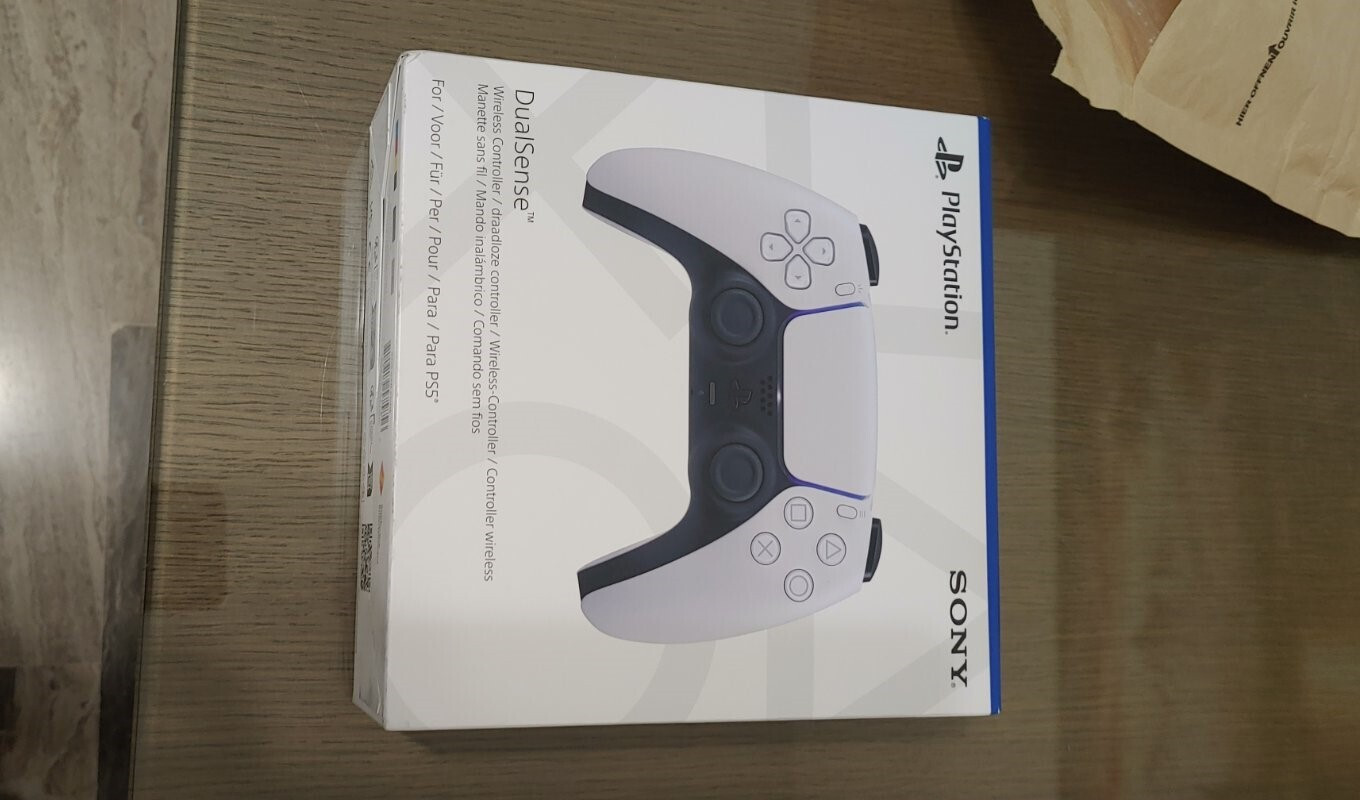
Sony DualSense Wireless Gamepad for PS5 Death Stranding 2 Limited Edition

Discover a deeper and more immersive gaming experience with the innovative new PS5 controller, featuring haptic feedback and dynamic trigger effects. The wireless DualSense controller also includes a...

Discover a deeper and more immersive gaming experience with the innovative new PS5 controller, featuring haptic feedback and dynamic trigger effects. The wireless DualSense controller also includes a built-in microphone and a create button, all framed by an iconic and comfortable design.


See full description See full description
90 10
91 Coins 91 Coins
Delivery Thu, 09 Jul - Mon, 13 Jul
4,00 € to a Skroutz Point or 5,00 € to an address
Do you want it with Free shipping?
Sent from Greece
From MG Manager 4.8 (342)
What if it breaks?

You have at least a 2-year warranty. Contact us by phone and we will immediately take care of the repair, replacement or refund of your money, completely free of charge.

What if I change my mind?

No problem, as long as it's within 14 days. We'll come pick it up or you can choose the Skroutz Point that suits you, completely free for up to 2 times per year, and we'll refund your money. Get Skroutz Plus to enjoy unlimited free returns.

Description

Description

Discover a deeper and more immersive gaming experience with the innovative new PS5 controller, featuring haptic feedback and dynamic trigger effects. The wireless DualSense controller also includes a built-in microphone and a create button, all framed by an iconic and comfortable design.


Haptic feedback

Experience haptic feedback with the wireless DualSense controller in select PS5 games and feel the impact and effect of your actions in the game with your own senses

Dynamic Response Triggers

Adjust your gaming experience with dynamic response triggers, which offer different levels of dynamic resistance that simulate the physical impact of your actions in selected PS5 games


Manufacturer

See full description

Specifications

Specifications

Dimensions

Compatible Console
PS5
Connection Method
Wireless
Colour
Black
Hall Effect Sticks
No

Type

Retro
-

Important information

Specifications are collected from official manufacturer websites. Please verify the specifications before proceeding with your final purchase. If you notice any problem you can report it here.

See all specifications

Reviews (1180)

Reviews

  1. 967
  2. 91
  3. 45
  4. 35
  5. 42
Review this product
  • Comfort
  • Button pressing
  • Construction quality
  • Silent
  • Weight
  • Durability
  • Value for money

Reviews photos

Reviews photos
Reviews photos
Reviews photos
Reviews photos
Reviews photos
Reviews photos

Reviews by our members

GreekoIV
5
39 out of 43 members found this review helpful

Verified purchase

I wish I could give it 4.5/5 stars, but it is possibly one of the best purchases I've made!

(6 months of continuous use)

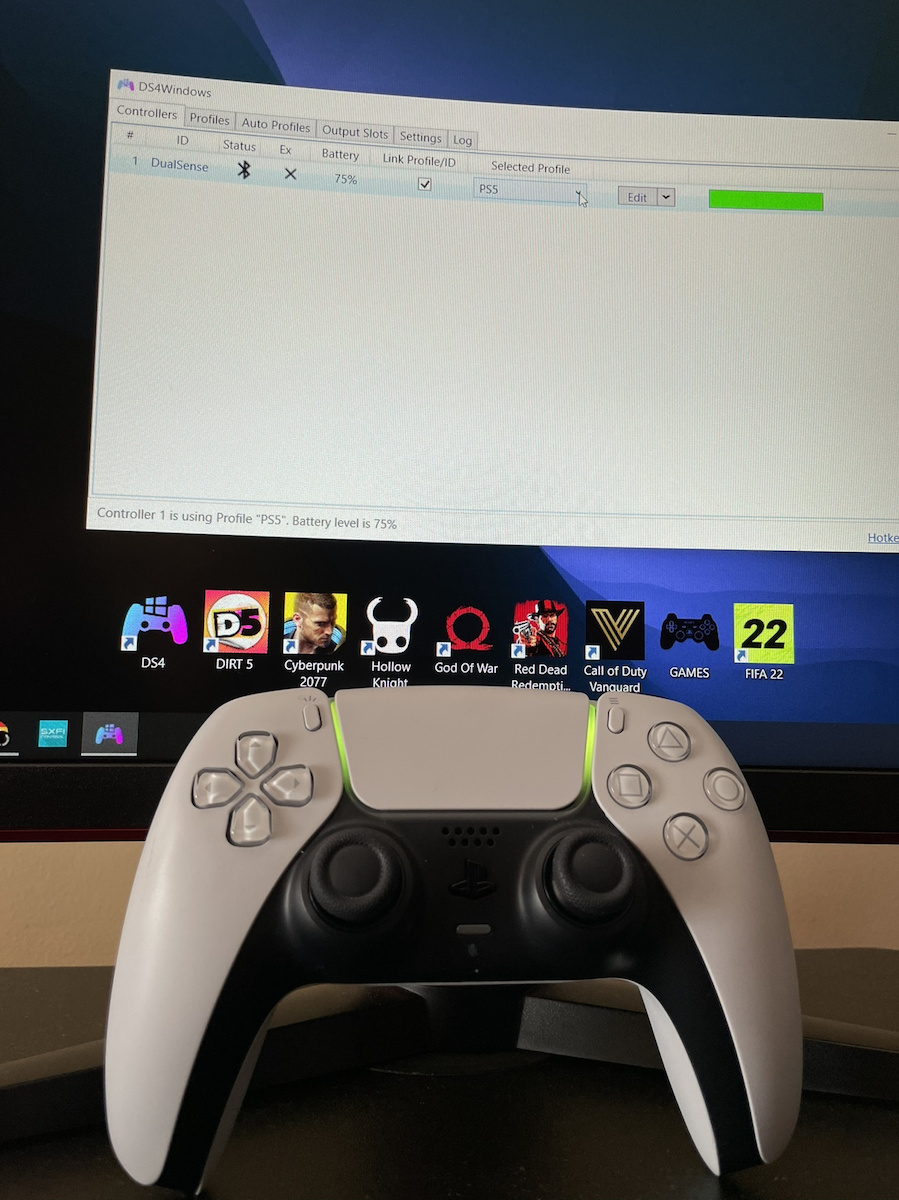
First of all, I had it connected to a COMPUTER, so for those who are interested, the compatibility is excellent. Although it requires a smart trick with Steam, it is mainly recognized based on the games rather than the launcher, but I will talk about that later.

Sturdy, a bit heavier than I expected, but that has to do with the battery, I would say.. However, this doesn't really matter because when I was using it, I didn't have it flying in the air.. On the contrary, I would say that the heavier it is, the better, because you take better care of it.

The buttons are very responsive and I liked that, but over time and with use, they took longer to make the characteristic click sound, which worried me.. Maybe that's how it's designed, or maybe I had a defective model.

The L1, L2, R1, R2 buttons were incredibly good to use, but BEWARE.. I had an issue with the haptic feedback in the series, as when there was more action, I didn't respect it as much as I should have and ended up "bending" the metal behind the L2, so every time I pressed it (I had to press it all the way down), a small thin sound could be heard from the metal, which I mainly felt in my finger.

Thumbsticks... Having Steam, the first thing I did was check if there was any stick drift, and I noticed that the right thumbstick had a very slight stick drift, which worried me at first. Stick drift, for those who don't know, is when you slightly push the thumbstick in one direction, and when you release it, it remains slightly tilted towards the direction you pushed it. In other words, for the right thumbstick in most games, it means that the camera will start moving in that direction on its own.

The left thumbstick didn't have any issues, so I would mention that maybe it was a defective model.

So, the connection to the computer is mainly done through Steam, for those who want to know. You can also use other software recommended by many, but I didn't spend much time dealing with that since I had Steam ready. I opened Steam, saw that it detected the controller (wired or wireless), and then I added the game LAUNCHERS I played there. Then, I opened the launchers through Steam, and in all the games, I had full support, although it was recognized as a generic controller, it provided me with several features that my previous controller didn't have.

The best thing I can suggest is to check if each game you want to play supports DualSense software on the computer, and then simply open the launcher, not through Steam.

For example, I knew that Warzone, Apex Legends, and AC Valhalla had DualSense support, so I opened them through their respective launchers, not through Steam.

For someone who is not so familiar with these things, it might seem difficult, but after a while, it will become easier. If anyone has any questions about this, just send me a message or ask it here mentioning my name so that I can assist you.

After 2 years of using the replaced controller, I can say that it now has a problem with the right joystick, which cannot be replaced because it is out of warranty. For those who are going to play PC campaigns and multiplayer modern games (from 2018 onwards), get it with closed eyes!

Now I will go for the Xbox Elite Series 2 because I want to have extra buttons and easy application for what I will do on the PC. A review is also expected there!

Translated from Greek ·
  • Comfort
  • Button pressing
  • Construction quality
  • Durability
  • Value for money
  • Weight
  • Moderate noise
Did you find this review helpful?

poexania
2
61 out of 82 members found this review helpful

Verified purchase

It's really tragic that my controller started drifting shortly after a month. For those who don't know what drifting is, it's when the joysticks stay in their original position but it feels like you're pushing them left and right... like when your character turns in a game without you moving the joystick. Since the day before yesterday, the drifting has been really intense and I can't play games. On the Sony.gr website, when I go to the replacement page, it shows what's in the picture.

This problem also happened with the DualShock, but not as quickly. They should have made it better, not worse... if anyone else has the same problem, please tell me how you solved it.

Another complaint I have, which isn't as important, is that compared to the DualShock, the PS button on the DualSense is harder to press.

Update (9/25/2022): Now the drifting is happening again with the controller they replaced for me a month ago, which is also out of warranty.

Update (4/5/2023): Now, in addition to the original controller that broke and was replaced, I have 3 DualSense controllers at home, 2 of which have drift. That means one is the original that broke and was replaced, then the replacement broke, and then the one I bought to replace the replacement also broke. Now let's see how long the fourth one lasts, I've had it for about 2 months. The previous one should still be under warranty and I should return it, but I haven't done it yet.

Translated from Greek ·
  • Comfort
  • Weight
  • Silent
  • Button pressing
  • Construction quality
  • Durability
  • Value for money
Did you find this review helpful?

From Cyprus

Questions

Questions

Do you have a question about the product?

95 users have this product and can help you

Ask for the product

Description & Specifications

Discover a deeper and more immersive gaming experience with the innovative new PS5 controller, featuring haptic feedback and dynamic trigger effects. The wireless DualSense controller also includes a built-in microphone and a create button, all framed by an iconic and comfortable design.


Haptic feedback

Experience haptic feedback with the wireless DualSense controller in select PS5 games and feel the impact and effect of your actions in the game with your own senses

Dynamic Response Triggers

Adjust your gaming experience with dynamic response triggers, which offer different levels of dynamic resistance that simulate the physical impact of your actions in selected PS5 games


Manufacturer

Dimensions

Compatible Console
PS5
Connection Method
Wireless
Colour
Black
Hall Effect Sticks
No

Type

Retro
-

Important information

Specifications are collected from official manufacturer websites. Please verify the specifications before proceeding with your final purchase. If you notice any problem you can report it here.

Reviews (1180)

  1. 967
  2. 91
  3. 45
  4. 35
  5. 42
Review this product
  • Comfort
  • Button pressing
  • Construction quality
  • Silent
  • Weight
  • Durability
  • Value for money

Reviews photos

Reviews photos
Reviews photos
Reviews photos
Reviews photos
Reviews photos
Reviews photos

Reviews by our members

GreekoIV
5
39 out of 43 members found this review helpful

Verified purchase

I wish I could give it 4.5/5 stars, but it is possibly one of the best purchases I've made!

(6 months of continuous use)

First of all, I had it connected to a COMPUTER, so for those who are interested, the compatibility is excellent. Although it requires a smart trick with Steam, it is mainly recognized based on the games rather than the launcher, but I will talk about that later.

Sturdy, a bit heavier than I expected, but that has to do with the battery, I would say.. However, this doesn't really matter because when I was using it, I didn't have it flying in the air.. On the contrary, I would say that the heavier it is, the better, because you take better care of it.

The buttons are very responsive and I liked that, but over time and with use, they took longer to make the characteristic click sound, which worried me.. Maybe that's how it's designed, or maybe I had a defective model.

The L1, L2, R1, R2 buttons were incredibly good to use, but BEWARE.. I had an issue with the haptic feedback in the series, as when there was more action, I didn't respect it as much as I should have and ended up "bending" the metal behind the L2, so every time I pressed it (I had to press it all the way down), a small thin sound could be heard from the metal, which I mainly felt in my finger.

Thumbsticks... Having Steam, the first thing I did was check if there was any stick drift, and I noticed that the right thumbstick had a very slight stick drift, which worried me at first. Stick drift, for those who don't know, is when you slightly push the thumbstick in one direction, and when you release it, it remains slightly tilted towards the direction you pushed it. In other words, for the right thumbstick in most games, it means that the camera will start moving in that direction on its own.

The left thumbstick didn't have any issues, so I would mention that maybe it was a defective model.

So, the connection to the computer is mainly done through Steam, for those who want to know. You can also use other software recommended by many, but I didn't spend much time dealing with that since I had Steam ready. I opened Steam, saw that it detected the controller (wired or wireless), and then I added the game LAUNCHERS I played there. Then, I opened the launchers through Steam, and in all the games, I had full support, although it was recognized as a generic controller, it provided me with several features that my previous controller didn't have.

The best thing I can suggest is to check if each game you want to play supports DualSense software on the computer, and then simply open the launcher, not through Steam.

For example, I knew that Warzone, Apex Legends, and AC Valhalla had DualSense support, so I opened them through their respective launchers, not through Steam.

For someone who is not so familiar with these things, it might seem difficult, but after a while, it will become easier. If anyone has any questions about this, just send me a message or ask it here mentioning my name so that I can assist you.

After 2 years of using the replaced controller, I can say that it now has a problem with the right joystick, which cannot be replaced because it is out of warranty. For those who are going to play PC campaigns and multiplayer modern games (from 2018 onwards), get it with closed eyes!

Now I will go for the Xbox Elite Series 2 because I want to have extra buttons and easy application for what I will do on the PC. A review is also expected there!

Translated from Greek ·
  • Comfort
  • Button pressing
  • Construction quality
  • Durability
  • Value for money
  • Weight
  • Moderate noise
Did you find this review helpful?

poexania
2
61 out of 82 members found this review helpful

Verified purchase

It's really tragic that my controller started drifting shortly after a month. For those who don't know what drifting is, it's when the joysticks stay in their original position but it feels like you're pushing them left and right... like when your character turns in a game without you moving the joystick. Since the day before yesterday, the drifting has been really intense and I can't play games. On the Sony.gr website, when I go to the replacement page, it shows what's in the picture.

This problem also happened with the DualShock, but not as quickly. They should have made it better, not worse... if anyone else has the same problem, please tell me how you solved it.

Another complaint I have, which isn't as important, is that compared to the DualShock, the PS button on the DualSense is harder to press.

Update (9/25/2022): Now the drifting is happening again with the controller they replaced for me a month ago, which is also out of warranty.

Update (4/5/2023): Now, in addition to the original controller that broke and was replaced, I have 3 DualSense controllers at home, 2 of which have drift. That means one is the original that broke and was replaced, then the replacement broke, and then the one I bought to replace the replacement also broke. Now let's see how long the fourth one lasts, I've had it for about 2 months. The previous one should still be under warranty and I should return it, but I haven't done it yet.

Translated from Greek ·
  • Comfort
  • Weight
  • Silent
  • Button pressing
  • Construction quality
  • Durability
  • Value for money
Did you find this review helpful?

From Cyprus

90,10 €
4,00 € to a Skroutz Point