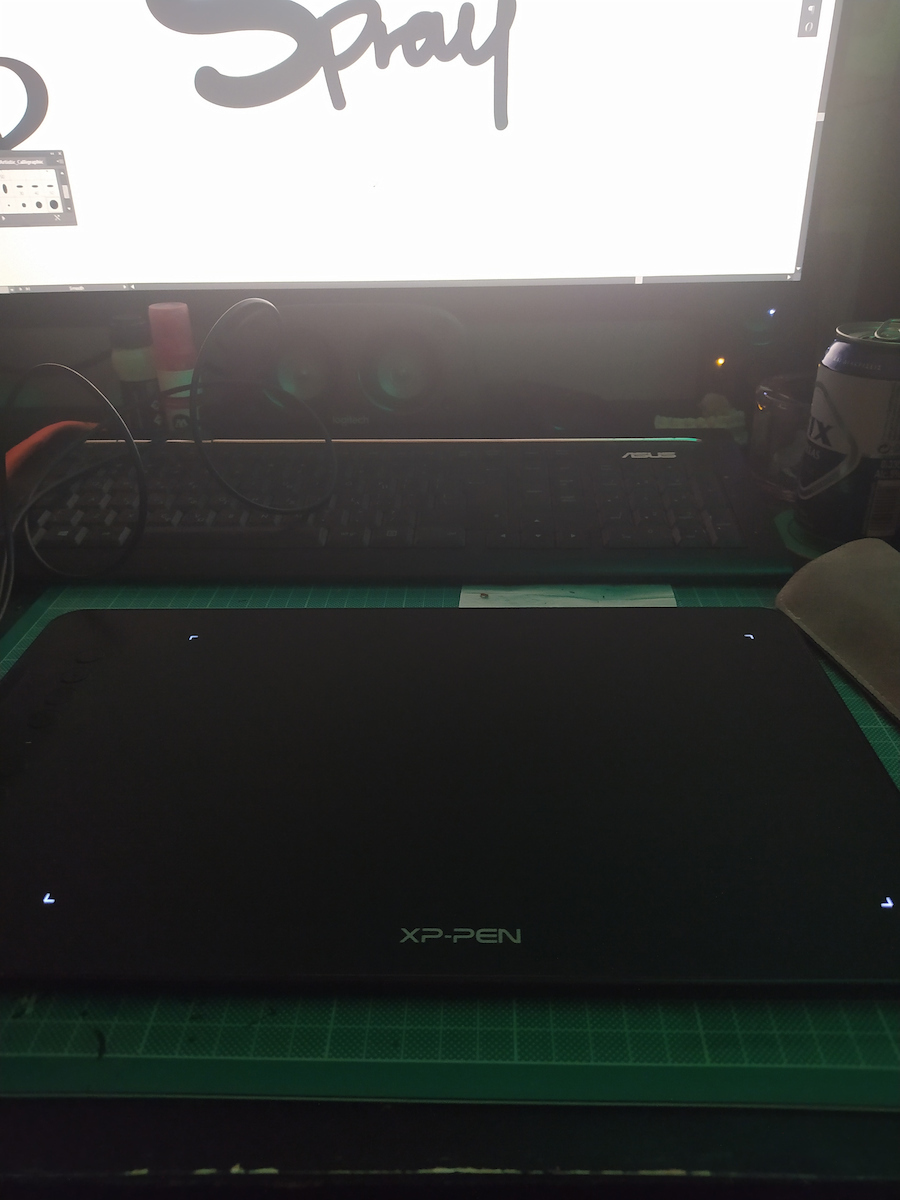
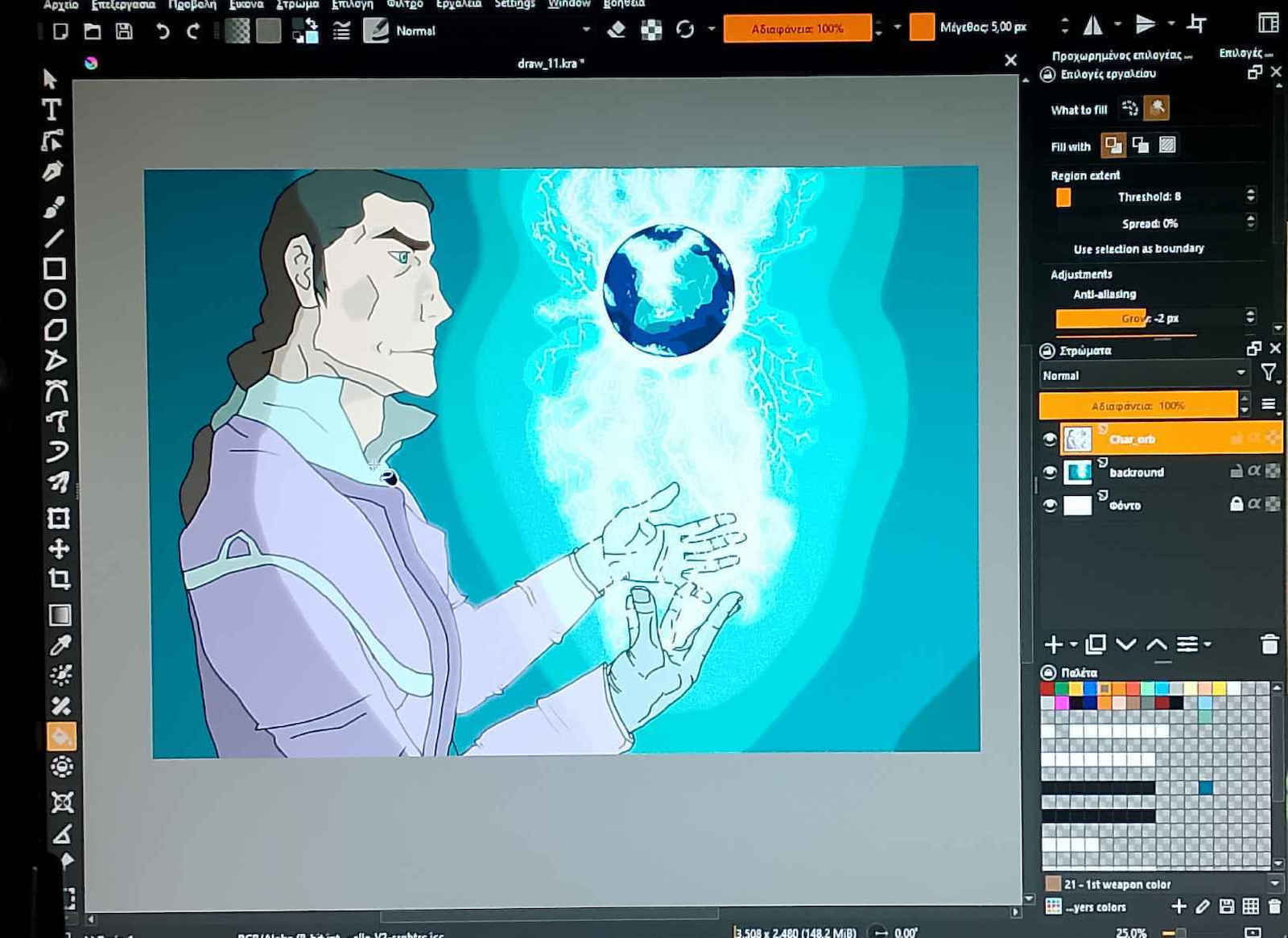
The XP-Pen digitizer features a battery-free stylus that does not require charging and will never leave you in the middle of a design. The stylus has high pressure...
Deco 01 V2 Drawing Tablet.
The XP-Pen digitizer features a battery-free stylus that does not require charging and will never leave you in the middle of a design. The stylus has high pressure sensitivity, allowing you to precisely determine the thickness of the line depending on the pressure you apply to the pad.
This feature is particularly important if you want to engage in illustration or digital painting. The pen's resolution of 5080 LPI is considered high, offering a detailed and accurate depiction on the computer.
Additionally, it has shortcut keys that save you time as you can execute a command with the press of a button.
Features
Active area: 254 x 159 mm
Programmable keys: 8
Multi-touch: Yes
Pressure levels: 8192
Resolution: 5080LPI
Connection: USB
Pen reading speed (RPS): >=200
System requirements: Windows 7/8/10, Linux (Detailed versions), MAC OS X 10.10 and above, Android 6.0 and above, and Chrome OS 88.0.4324.109
Specifications are collected from official manufacturer websites. Please verify the specifications before proceeding with your final purchase. If you notice any problem you can report it here.
Very good product, easy to set up, but if you have used ZOOM boards or have worked with CANVA boards, it is not convenient. At least for me, since I got it to be able to write on ZOOM, it was not convenient at all. I prefer to work with Canva, which has a much better feel. Maybe this product is not suitable for the use I bought it for.
Πολύ καλό προϊόν, εύκολο σετάρισμα, αλλά αν έχει δουλέψει ΖΟΟΜ bords ή έχεις δουλέψει CANVA bords δεν βολεύει. Εμένα τουλάχιστον που το πήρα για να μπορώ να γράφω σε ΖΟΟΜ δεν με βόλεψε καθόλου. Πρωτιμώ να δουλεύω με Canva που έχει πολύ καλύτερη αίσθηση. Ίσως να μην είναι το προϊόν για την χρήση που πήρα.
I am amazed so far by the quality of this product plus the useful extras. Prior experience with pens was with a Wacom Tablet w/o display. Compared to that, yes the XP-Pen is more sensitive to pressure and has extras, like the glove, the pen stand and the protective film for the tablet. So personally I feel like it was an upgrade.
My main usage is for sculpting 3D and drawing textures, this is the reason why I wanted a pen with more attention to detail of movements so I can sculpt little details or change pressure without being in need of in-app settings all the time.
On the pros:
-The tablet reads pen inputs at a surprising speed so I can use it for handwriting or as a mouse.
-Tilting works as advertised, you can grab your pen however you like and it works perfectly at most angles (compared to the Wacom which had to point straight up)
-Plug and play device, you can use it's own software for more customization, which is practical and well made, you can change the pressure input curve, remap all buttons to macros and even remap the tablet buttons.
-Good response times from the tablet buttons, feels like your keyboard buttons
-The protective film is very useful for those who are afraid of scratching the surface and does not hinder performance at all
On the cons:
-The glove is a tight fit on the fingers and loose on the wrist but hey, you're no longer smudging your device or have your hand stick to the surface
-There is some slight inconvenience to input reading when you move the pen too fast, like skipping 1-2 frames. It happens randomly but thankfully not often. May happen once per 2 hours of usage.
-Pen buttons are a bit slow and clicking on surfaces or menus like a mouse is sometimes difficult but you get used to it
I am amazed so far by the quality of this product plus the useful extras. Prior experience with pens was with a Wacom Tablet w/o display. Compared to that, yes the XP-Pen is more sensitive to pressure and has extras, like the glove, the pen stand and the protective film for the tablet. So personally I feel like it was an upgrade.
My main usage is for sculpting 3D and drawing textures, this is the reason why I wanted a pen with more attention to detail of movements so I can sculpt little details or change pressure without being in need of in-app settings all the time.
On the pros:
-The tablet reads pen inputs at a surprising speed so I can use it for handwriting or as a mouse.
-Tilting works as advertised, you can grab your pen however you like and it works perfectly at most angles (compared to the Wacom which had to point straight up)
-Plug and play device, you can use it's own software for more customization, which is practical and well made, you can change the pressure input curve, remap all buttons to macros and even remap the tablet buttons.
-Good response times from the tablet buttons, feels like your keyboard buttons
-The protective film is very useful for those who are afraid of scratching the surface and does not hinder performance at all
On the cons:
-The glove is a tight fit on the fingers and loose on the wrist but hey, you're no longer smudging your device or have your hand stick to the surface
-There is some slight inconvenience to input reading when you move the pen too fast, like skipping 1-2 frames. It happens randomly but thankfully not often. May happen once per 2 hours of usage.
-Pen buttons are a bit slow and clicking on surfaces or menus like a mouse is sometimes difficult but you get used to it
One of the best purchases I have made, I use it daily for the last 2 years and it hasn't had any issues. Also, the response when typing is flawless.
Από τις καλύτερες αγορές που έχω κάνει, την χρησιμοποιώ καθημερινά τα τελευταία 2 χρόνια και δεν έχει πάθει τίποτα.
Επίσης η ανταπόκριση όταν γράφεις είναι άψογη.
Although it was my first day using it, it seemed flawless to me. It works on Linux Fedora without any issues and without drivers. The program it comes with is very good on Windows. The pen has great sensitivity when writing. It also works for left-handed people, you just need to rotate it 180 degrees from the program. Excellent.
Αν και πρώτη μέρα που το λειτουργώ μου φάνηκε άψογο. Δουλεύει σε Linux fedora χωρίς πρόβλημα και χωρίς drivers. Στα windows το. πρόγραμμα που έχει είναι πάρα πολύ καλό. Η πένα έχει μεγάλη ευαισθησία όταν γράφεις. Δουλεύει και για αριστερόχειρες απλά πρέπει να βάλεις από το πρόγραμμα να γυρίσει 180 μοίρες. Άψογο.
I have had this tablet for a year now. I bought it for drawing and I have to say it was one of my best choices.
If you're looking for a tablet for drawing under 100 euros and you're not sure which one to get, get this one. The build quality and size are incredible for its price, and I bought it when it was even more expensive.
By the way, it's not as difficult to use as it seems, I got used to it within 1-2 hours after years of drawing with paper and pencil.
Update 22/05/2026
Especially now that the price has dropped so much, this purchase should be a no brainer. All these years it has given me countless hours of use and gave me the opportunity to enter this amazing world of digital drawing. And the glove has lasted like a dog for 4 years now. Still, believe it or not, I'm using the nibs that came with the device, there are many.
Έχω αυτό το τάμπλετ έναν χρόνο τώρα. Το αγόρασα για σχέδιο και πρέπει να πω ήταν μια απ' τις καλύτερές μου επιλογές.
Αν ψάχνεις ένα τάμπλετ για ζωγραφική κάτω απο 100 ευρώ και δεν είσαι σίγουρος ποιο να πάρεις, πάρε αυτό. Η ποιότητα κατασκευής και το μέγεθος είναι απίστευτα για την τιμή του, και το αγόρασα όταν ήταν πιο ακριβό.
Παρεπιπτόντως, δεν είναι όσο δύσκολη όσο φαίνεται η χρήση του, το συνήθησα μέσα σε 1-2 ωρίτσες μετά από χρόνια σχεδίου με χαρτί και μολύβι.
Update 22/05/2026
Ειδικά πλέον που έχει πέσει πάρα πολύ η τιμή αυτή η αγορά πρέπει να είναι no brainer. Σ' όλα αυτά τα χρόνια μου έχει χαρίσει άπειρες ώρες χρήσης και μου έδωσε την ευκαιρία να μπω στον απίστευτο αυτό κόσμο του ψηφιακού σχεδίου. Και το γάντι έχει αντέξει σαν σκυλί 4 χρόνια τώρα. Ακόμα να φανταστείτε χρησιμοποιώ τις μύτες που ήρθαν μαζί με την συσκευή, έχει πολλές.
In the market there are better products. The product is very stable, with excellent driver support (it also works on Linux) and good build quality. If you are a professional looking for the ultimate tool, a Wacom will definitely be better for you. If you are an amateur, intermediate, or professional who is not looking for the ultimate flagship, it is 100% worth it. I don't know much about painting, but it is obvious that it does a very good job and it is excellent for note-taking. The downside is that it requires desk space the size of an A4, so make sure to see if it suits you
Στην αγορά υπάρχουν καλύτερα προιόντα. Το προιόν είναι σταθερότατο, με άριστη υποστήριξη σε drivers (παίζει και σε Linux) και καλή ποιότητα κατασκευής. Αν είσαι επαγγελματίας που ψάχνει το απόλυτο εργαλείο, όλο και κάποιο wacom θα σου βγει καλύτερο. Αν είσαι ερασιτέχνης, ενδιάμεσος ή επαγγελματίας που δεν ψάχνει το απόλυτο flagship είναι 100% worth. Απο ζωγραφική δεν σκαμπάζω καλά αλλά είναι εμφανές ότι κάνει πολύ καλή δουλειά και για σημειώσεις είναι άριστο. Μειονέκτημα είναι ότι απαιτεί χώρο στο γραφείο όσο ένα Α4 οπότε προσέξτε να δείτε αν σας βολεύει
I got it as a gift for my daughter, who enjoys painting, and I'm looking for ways to borrow it from her to use it for myself. Easy connection with mobile. Good response. Increase in creativity.
Το πήρα δώρο για την κόρη μου, που της αρέσει να ζωγραφίζει και ψάχνω τρόπους να της το κλέβω για να κάνω τα δικά μου. Εύκολη σύνδεση με κινητό. Καλή απόκριση. Αύξηση δημιουργηκότητας.
Well, I have the XP-Pen Deco 01 V2 for almost 3 months now.
Initially, I struggled with the fact that I was looking at the screen and writing on the tablet.
I couldn't make a straight line :)
But after several days of practice, it became the main tool for note-taking.
I usually use it with OneNote and I have actually managed to almost eliminate the use of paper in my office.
I write everything in OneNote and export it to PDF.
In general, you can write free text in both Word and Acrobat, but OneNote will be very helpful. The only problem I encountered with this application was that I couldn't enlarge the pen tip on the screen. The only solution so that I don't constantly search for the black dot was to enable mouse pointer trails from the control panel.
The build quality is satisfactory.
The included pen also seems good to me. I struggle a bit with the integrated buttons as I accidentally press them, so if the same happens to you, simply disable their function.
The buttons on the tablet itself are also VERY useful.
By downloading the drivers from the official site, you can customize their function (and also that of the pen).
I have set it to switch between pen/eraser, undo, page up, page down.
Overall, the buttons are very convenient.
The resolution is also excellent. I believe it will meet the needs of professional designers as well.
It is lightweight and easy to carry along with the laptop.
Don't be afraid of the initial learning time. Soon it will become an indispensable tool!
Λοιπόν, έχω το XP-Pen Deco 01 V2 σχεδόν 3 μήνες.
Αρχικά με δυσκόλεψε το γεγονός ότι κοίταζα στην οθόνη και έγραφα στην ταμπλέτα.
Ευθεία γραμμή δεν μπορούσα να κάνω :)
Μετά όμως από αρκετές ημέρες εξάσκησης έγινε το βασικό εργαλείο για την τήρηση σημειώσεων.
Το χρησιμοποιώ κατα κανόνα με το OneNote και πραγματικά έχω καταφέρει σχεδόν να καταργήσω τη χρήση λευκού χαρτιού στο γραφείο μου.
Γράφω τα πάντα στο Onenote και τα κάνω export σε pdf.
Γενικά μπορείτε να γράψετε ελεύθερο κείμενο και στο word αλλά και στο acrobat ωστόσο το Onenote θα σας λύσει τα χέρια. Το μοναδικό πρόβλημα που αντιμετώπισα με τη συγκεκριμένη εφαρμογή ήταν πως δεν μπορούσα να μεγαλώσω το στίγμα του στυλό στην οθόνη. Μοναδική λύση για να μην ψάχνω διαρκώς τη μαύρη κουκίδα ήταν να ενεργοποιήσω από το control panel τα mouse pointer trails.
Η ποιότητα κατασκευής είναι ικανοποιητική.
Το στυλό που περιλαμβάνει μου φαίνεται επίσης καλό. Με δυσκολεύουν λίγο τα κουμπιά που έχει ενσωματωμένα καθώς τα πατάω κατά λάθος οπότε αν σας συμβαίνει το ίδιο, απλά καταργήστε τη λειτουργία τους.
Τα κουμπιά που έχει πάνω της η ταμπλέτα είναι επίσης ΠΑΡΑ πολύ χρήσιμα.
Κατεβάζοντας τους drivers από το επίσημο site μπορείτε να ρυθμίσετε τη λειτουργία τους (και αυτών του στυλό).
Εγώ έχω ρυθμίσει να γίνεται εναλλαγή σε pen / eraser, αναίρεση, page up, page down.
Γενικά τα πλήκτρα είναι πολύ βολικά.
Η ανάλυση του είναι επίσης εξαιρετική. Εκτιμώ ότι θα καλύπτει και τους επαγγελματίες σχεδιαστές.
Είναι ελαφρύ και μεταφέρετε εύκολα μαζί με το laptop.
Μη σας φοβίσει ο αρχικός χρόνος εκμάθησης. Σύντομα θα γίνει αναπόσπαστο εργαλείο!
Undoubtedly, a perfect digitizer. The quality-price ratio exceeds all limits. It has a large surface and is more than sufficient for amateur use. The stylus touches the boundary of amateur-professional use, and it has enough buttons and settings to control the software being used. The pen has two extra buttons on it that make life "easier." The only "strange" thing is how one adjusts it for left-handed users, but apart from that, in all other areas, it is excellent.
After 3 years of having the stylus, I still hold the same opinion. Lightweight, large in size for comfort in drawing, immediate response to the computer. It remains an excellent stylus for its price; I would recommend it to anyone looking to start digital art.
Αναντίρρητα , ένα τέλειο digitizer. Η σχέση ποιότητας - τιμής ξεπερνά κάθε όριο. Έχει μεγάλη επιφάνεια και είναι υπέρ-αρκετή για μία ερασιτεχνική χρήση. Η γραφίδα αγγίζει το όριο ερασιτεχνικής-επαγγελματικής χρήσης , και έχει αρκετά κουμπιά και ρυθμίσεις για να ελέγχει κάποιος το software που χρησιμοποιεί. Η πένα έχει δύο επιπλέον κουμπιά πάνω της τα οποία κάνουν την ζωή πιο "εύκολη". Το μόνο "περίεργο" είναι το πως κάποιος το ρυθμίζει για τους αριστερόχειρες, αλλά εκτός αυτού , σε όλους τους άλλους τομείς είναι εξαιρετική.
Μετά από 3 χρόνια που είχα πάρει την γραφίδα, εξακολουθώ να έχω την ίδια άποψη. Ελαφριά στο βάρος, μεγάλη σε μέγεθος για άνεση στην ζωγραφική, άμεση ανταπόκριση στον υπολογιστή. Εξακολουθεί να είναι μια εξαιρετική γραφίδα για την τιμή της, θα την πρότεινα για όλους θέλουν να αρχίσουν το digital art.
For the price of 70-80 euros when I made the purchase, it is a very good choice since the 8126 pressure levels are more than enough for both amateur and professional use, the pen has a lightweight and battery-free design, so there is no problem of running out of battery during drawing, you can download the driver from the website and it is very simple and easy to use, and the buttons on the pen and tablet are very useful. It has a fast response and with the free painting program that I tried (krita), I had absolutely no problem. I have had it for almost 2 weeks now and I will update my review if any issues arise with prolonged use.
Για την τιμή των 70-80 ευρώ όταν έκανα την αγορά είναι μια πολύ καλή επιλογή αφού τα 8126 επίπεδα πίεσης είναι υπέρ αρκετά για ερασιτεχνική χρήση που κάνω εγώ αλλά και για επαγγελματική, το στυλό έχει μικρό βάρος και είναι χωρίς μπαταρίες οπότε δεν υπάρχει πρόβλημα να τελειώσει η μπαταρία κατά την διάρκεια σχεδίασης, το driver μπορείτε να το κατεβάσετε από την σελίδα και είναι πολύ απλό και εύκολο στην χρήση και τα κουμπιά πάνω στο στυλό αλλά και στην γραφίδα είναι πολυ χρήσιμα. Έχει γρήγορη απόκριση και με το δωρεάν πρόγραμμα ζωγραφικής που το δοκίμασα (krita) δεν είχα κανένα απολύτως πρόβλημα. Την έχω μια σχεδόν 2 βδομάδες τώρα θα ενημερώσω την κριτική μου αν τυχόν προκύψει κάποιο πρόβλημα στην χρήση με τον καιρό.
The xp-pen is one of the largest companies in the digitizer creation space as it competes with others with very good quality and friendly prices on its products. Based on the above, the xp-pen deco 01 fully defines these characteristics.
- Its construction quality is very good as it provides a "premium" sturdiness despite its small thickness.
- Its large surface is more than enough for those who want to engage in digital art but also for office work as its response is immediate.
- The pen, in terms of its construction, is nothing special as it is a simple pen with the positive large sensitivity range it has (pressure sensitive).
- As for the buttons, it has 8 on the tablet itself and two on the pen, which greatly facilitate anything you use them for. They are also fully customizable through the program you download.
- The tablet drivers can be easily found through the xp-pen/drivers download site.
- Additionally, it comes with a pen stand with 9 additional tips for replacement in case they break, and a glove to prevent leaving marks on the surface.
In summary, the xp-pen deco 01 is value for money as it offers a wide range of capabilities and very good construction quality for its price.
I use it for drawing, animation, and photo editing as it has not disappointed me in anything so far.
A small tip for those who purchase it:
- Some programs (e.g. Photoshop) in order to fully utilize the pen's pressure sensitivity, you need to have Windows Ink enabled, which can be found at the bottom left of the program's main menu that is downloaded along with the drivers
Η xp-pen αποτελεί μια από τις μεγαλύτερες εταιρίες στον χώρο της δημιουργίας digitizers καθώς ανταγωνίζεται άλλες με πολύ καλή ποιότητα και φιλικές τιμές στα προϊόντα της. Με βάση τα παραπάνω η xp-pen deco 01 προσδιορίζει πλήρως αυτά τα χαρακτηριστικά.
- Η ποιότητα κατασκευής της είναι πολύ καλή αφού δίνει μια "premium" στιβαρότητα παρόλο το μικρό πάχος της.
- Η μεγάλη επιφάνεια της είναι υπεραρκετή για όσους θέλουν να ασχοληθούν με το digital art αλλά και για δουλειές γραφείου καθώς η ανταπόκριση της είναι άμεση .
- Η πένα ,ως προς την κατασκευή της, δεν είναι τίποτα το ιδιαίτερο καθώς είναι ένα απλό πενάκι με θετικό το μεγάλο εύρος ευαισθησίας που διαθέτει (pressure sensitive)
- Ως προς τα κουμπιά διαθέτει 8 πάνω στην ίδια την γραφίδα και δύο στην πένα τα οποία διευκολύνουν πάρα πολύ σε οτιδήποτε τα χρησιμοποιείτε. Ακόμη είναι πλήρως προσαρμόσιμα μέσω του προγράμματος που κατεβάζετε
- Τους drivers της γραφίδας τους βρίσκεται εύκολα μέσω του site της xp-pen/drivers download
- Επιπλέον διαθέτει βάση για την πένα με άλλες 9 μύτες για αλλαγή σε περίπτωση που σαν σπάσουν και ένα γάντι για να μην αφήνετε σημάδια στην επιφάνεια της
Συνοψίζοντας η xp-pen deco 01 είναι Value for money καθώς προσφέρει ένα μεγάλο εύρος δυνατοτήτων και πολύ καλή ποιότητα κατασκευής για την τιμή της .
Την χρησιμοποιώ για σχέδιο ,animation και επεξεργασία φωτογραφιών καθώς δεν με έχει απογοητεύσει σε τίποτα μέχρι στιγμής
Μια μικρή συμβουλή για όσους την αγοράσουν :
• Κάποια προγράμματα (πχ Photoshop ) προκειμένου να χρησιμοποιήσουν πλήρως το pressure sensitive της πένας πρέπει να έχετε ενεργοποιημένο το windows ink το οποίο βρίσκεται κάτω αριστερά στο κεντρικό μενού του προγράμματος που κατεβαίνει μαζί με τους drivers
Well. First time sketch pad and I have to say it's a good investment for someone who wants their first contact with a pen beyond the mouse, now I'm speaking as a graphic designer and someone who snubbed it a while ago but it's cool. It has A4 size, a black smooth surface that is just right, I've had it for a month and I'm learning day by day. It will get stuck where you need to look forward and scroll from below but you'll find that it changes your mindset. I bought it because I liked the design and 2-3 reviews from abroad. No major criticisms here but I didn't pay much attention and it turned out to be worthwhile. It's worth the money, worth it. Peace
Λοιπον. Πρώτη φορά sketch pad και έχω να πω ότι είναι καλή επένδυση για κάποιον που θέλει πρώτη επαφή πενάκι πέραν το ποντικιού, τώρα μιλάω σαν γραφίστας και κάποιον τα σνομπαρε καιρό πριν αλλά είναι κουλ. Έχεις μέγεθος Α4 έτσι μαύρο smooth επιφάνεια είναι όσο πρέπει, το χω ένα μήνα και το μαθαίνω μέρα με την μέρα. Θα σκαλωσει εκεί που θα πρέπει να κοιτάς μπροστά και να ρολαρεις από κάτω αλλά θα το βρεις στροφαρει το μυαλό αλλιώς. Το τσίμπησα γιατί μου άρεσε το design και 2-3 reviews από εξωτερικό.Χωρίς ιδιαίτερες κρητικές εδώ μέσα αλλά δεν έδωσα βάση και βγήκε αξιόλογο. Αξίζει για τα λεφτά αξίζει. Peace
Very good product, easy to set up, but if you have used ZOOM boards or have worked with CANVA boards, it is not convenient. At least for me, since I got it to be able to write on ZOOM, it was not convenient at all. I prefer to work with Canva, which has a much better feel. Maybe this product is not suitable for the use I bought it for.
Πολύ καλό προϊόν, εύκολο σετάρισμα, αλλά αν έχει δουλέψει ΖΟΟΜ bords ή έχεις δουλέψει CANVA bords δεν βολεύει. Εμένα τουλάχιστον που το πήρα για να μπορώ να γράφω σε ΖΟΟΜ δεν με βόλεψε καθόλου. Πρωτιμώ να δουλεύω με Canva που έχει πολύ καλύτερη αίσθηση. Ίσως να μην είναι το προϊόν για την χρήση που πήρα.
I am amazed so far by the quality of this product plus the useful extras. Prior experience with pens was with a Wacom Tablet w/o display. Compared to that, yes the XP-Pen is more sensitive to pressure and has extras, like the glove, the pen stand and the protective film for the tablet. So personally I feel like it was an upgrade.
My main usage is for sculpting 3D and drawing textures, this is the reason why I wanted a pen with more attention to detail of movements so I can sculpt little details or change pressure without being in need of in-app settings all the time.
On the pros:
-The tablet reads pen inputs at a surprising speed so I can use it for handwriting or as a mouse.
-Tilting works as advertised, you can grab your pen however you like and it works perfectly at most angles (compared to the Wacom which had to point straight up)
-Plug and play device, you can use it's own software for more customization, which is practical and well made, you can change the pressure input curve, remap all buttons to macros and even remap the tablet buttons.
-Good response times from the tablet buttons, feels like your keyboard buttons
-The protective film is very useful for those who are afraid of scratching the surface and does not hinder performance at all
On the cons:
-The glove is a tight fit on the fingers and loose on the wrist but hey, you're no longer smudging your device or have your hand stick to the surface
-There is some slight inconvenience to input reading when you move the pen too fast, like skipping 1-2 frames. It happens randomly but thankfully not often. May happen once per 2 hours of usage.
-Pen buttons are a bit slow and clicking on surfaces or menus like a mouse is sometimes difficult but you get used to it
I am amazed so far by the quality of this product plus the useful extras. Prior experience with pens was with a Wacom Tablet w/o display. Compared to that, yes the XP-Pen is more sensitive to pressure and has extras, like the glove, the pen stand and the protective film for the tablet. So personally I feel like it was an upgrade.
My main usage is for sculpting 3D and drawing textures, this is the reason why I wanted a pen with more attention to detail of movements so I can sculpt little details or change pressure without being in need of in-app settings all the time.
On the pros:
-The tablet reads pen inputs at a surprising speed so I can use it for handwriting or as a mouse.
-Tilting works as advertised, you can grab your pen however you like and it works perfectly at most angles (compared to the Wacom which had to point straight up)
-Plug and play device, you can use it's own software for more customization, which is practical and well made, you can change the pressure input curve, remap all buttons to macros and even remap the tablet buttons.
-Good response times from the tablet buttons, feels like your keyboard buttons
-The protective film is very useful for those who are afraid of scratching the surface and does not hinder performance at all
On the cons:
-The glove is a tight fit on the fingers and loose on the wrist but hey, you're no longer smudging your device or have your hand stick to the surface
-There is some slight inconvenience to input reading when you move the pen too fast, like skipping 1-2 frames. It happens randomly but thankfully not often. May happen once per 2 hours of usage.
-Pen buttons are a bit slow and clicking on surfaces or menus like a mouse is sometimes difficult but you get used to it
One of the best purchases I have made, I use it daily for the last 2 years and it hasn't had any issues. Also, the response when typing is flawless.
Από τις καλύτερες αγορές που έχω κάνει, την χρησιμοποιώ καθημερινά τα τελευταία 2 χρόνια και δεν έχει πάθει τίποτα.
Επίσης η ανταπόκριση όταν γράφεις είναι άψογη.
Although it was my first day using it, it seemed flawless to me. It works on Linux Fedora without any issues and without drivers. The program it comes with is very good on Windows. The pen has great sensitivity when writing. It also works for left-handed people, you just need to rotate it 180 degrees from the program. Excellent.
Αν και πρώτη μέρα που το λειτουργώ μου φάνηκε άψογο. Δουλεύει σε Linux fedora χωρίς πρόβλημα και χωρίς drivers. Στα windows το. πρόγραμμα που έχει είναι πάρα πολύ καλό. Η πένα έχει μεγάλη ευαισθησία όταν γράφεις. Δουλεύει και για αριστερόχειρες απλά πρέπει να βάλεις από το πρόγραμμα να γυρίσει 180 μοίρες. Άψογο.
Καλησπέρα, η επιφάνεια όσο γράφεις έχει την αίσθηση ενός χαρτιού ή κάποιου άλλου υλικού? Επίσης, όσο γράφεις, το χέρι μένει σταθερό ή γλιστράει πάνω στην επιφάνεια? Τέλος, υπάρχει ρύθμιση για αριστερόχειρες? Ευχαριστώ.
Δεν έχει αίσθηση χαρτιού, αλλά όχι και γυαλιού. Έχει την απαιτούμενη αίσθηση ώστε να καταλαβαίνεις τι γίνεται και να μην σε ενοχλεί. Το χέρι γλιστράει και σου δίνουν και γαντάκι για να γλιστράει καλύτερα. Θα δεις ότι δεν θα χρειαστείς να αλλάξεις τον τρόπο γραφής σου αν σε απασχολεί αυτό. Αυτό που θέλει συνήθεια είναι απλά να κοιτάς την οθόνη αντί την πένα αλλά αυτό είναι θέμα μισής ώρας. Δεν υπάρχει ρύθμιση για αριστόχειρες γιατί δεν χρειάζεται. Σκέψου ότι απλά κρατάς ένα μολύβι. Δεν έχει σημασία αν το κρατάς με το δεξί ή το αριστερό, αυτό απλά αντιλαμβάνεται την κίνηση και την δίνει στον υπολογιστή.
Καλησπέρα. Drivers προσφέρονται κανονικά από την εταιρία γιά κάποιες διανομές, και γιά το 01 και γιά το 01 V2 ( δες εδώ, ανάλογα ποίο θέλεις να πάρεις: https://www.xp-pen.com/series/Deco-tablet.html ) δεν το έχω δοκιμάσει όμως. Αν η διανομή σου είναι στην λίστα υποθέτω πως δεν θα υπάρχει πρόβλημα.
The XP-Pen digitizer features a battery-free stylus that does not require charging and will never leave you in the middle of a design. The stylus has high pressure sensitivity, allowing you to precisely determine the thickness of the line depending on the pressure you apply to the pad.
This feature is particularly important if you want to engage in illustration or digital painting. The pen's resolution of 5080 LPI is considered high, offering a detailed and accurate depiction on the computer.
Additionally, it has shortcut keys that save you time as you can execute a command with the press of a button.
Features
Active area: 254 x 159 mm
Programmable keys: 8
Multi-touch: Yes
Pressure levels: 8192
Resolution: 5080LPI
Connection: USB
Pen reading speed (RPS): >=200
System requirements: Windows 7/8/10, Linux (Detailed versions), MAC OS X 10.10 and above, Android 6.0 and above, and Chrome OS 88.0.4324.109
Specifications are collected from official manufacturer websites. Please verify the specifications before proceeding with your final purchase. If you notice any problem you can report it here.
Very good product, easy to set up, but if you have used ZOOM boards or have worked with CANVA boards, it is not convenient. At least for me, since I got it to be able to write on ZOOM, it was not convenient at all. I prefer to work with Canva, which has a much better feel. Maybe this product is not suitable for the use I bought it for.
Πολύ καλό προϊόν, εύκολο σετάρισμα, αλλά αν έχει δουλέψει ΖΟΟΜ bords ή έχεις δουλέψει CANVA bords δεν βολεύει. Εμένα τουλάχιστον που το πήρα για να μπορώ να γράφω σε ΖΟΟΜ δεν με βόλεψε καθόλου. Πρωτιμώ να δουλεύω με Canva που έχει πολύ καλύτερη αίσθηση. Ίσως να μην είναι το προϊόν για την χρήση που πήρα.
I am amazed so far by the quality of this product plus the useful extras. Prior experience with pens was with a Wacom Tablet w/o display. Compared to that, yes the XP-Pen is more sensitive to pressure and has extras, like the glove, the pen stand and the protective film for the tablet. So personally I feel like it was an upgrade.
My main usage is for sculpting 3D and drawing textures, this is the reason why I wanted a pen with more attention to detail of movements so I can sculpt little details or change pressure without being in need of in-app settings all the time.
On the pros:
-The tablet reads pen inputs at a surprising speed so I can use it for handwriting or as a mouse.
-Tilting works as advertised, you can grab your pen however you like and it works perfectly at most angles (compared to the Wacom which had to point straight up)
-Plug and play device, you can use it's own software for more customization, which is practical and well made, you can change the pressure input curve, remap all buttons to macros and even remap the tablet buttons.
-Good response times from the tablet buttons, feels like your keyboard buttons
-The protective film is very useful for those who are afraid of scratching the surface and does not hinder performance at all
On the cons:
-The glove is a tight fit on the fingers and loose on the wrist but hey, you're no longer smudging your device or have your hand stick to the surface
-There is some slight inconvenience to input reading when you move the pen too fast, like skipping 1-2 frames. It happens randomly but thankfully not often. May happen once per 2 hours of usage.
-Pen buttons are a bit slow and clicking on surfaces or menus like a mouse is sometimes difficult but you get used to it
I am amazed so far by the quality of this product plus the useful extras. Prior experience with pens was with a Wacom Tablet w/o display. Compared to that, yes the XP-Pen is more sensitive to pressure and has extras, like the glove, the pen stand and the protective film for the tablet. So personally I feel like it was an upgrade.
My main usage is for sculpting 3D and drawing textures, this is the reason why I wanted a pen with more attention to detail of movements so I can sculpt little details or change pressure without being in need of in-app settings all the time.
On the pros:
-The tablet reads pen inputs at a surprising speed so I can use it for handwriting or as a mouse.
-Tilting works as advertised, you can grab your pen however you like and it works perfectly at most angles (compared to the Wacom which had to point straight up)
-Plug and play device, you can use it's own software for more customization, which is practical and well made, you can change the pressure input curve, remap all buttons to macros and even remap the tablet buttons.
-Good response times from the tablet buttons, feels like your keyboard buttons
-The protective film is very useful for those who are afraid of scratching the surface and does not hinder performance at all
On the cons:
-The glove is a tight fit on the fingers and loose on the wrist but hey, you're no longer smudging your device or have your hand stick to the surface
-There is some slight inconvenience to input reading when you move the pen too fast, like skipping 1-2 frames. It happens randomly but thankfully not often. May happen once per 2 hours of usage.
-Pen buttons are a bit slow and clicking on surfaces or menus like a mouse is sometimes difficult but you get used to it
One of the best purchases I have made, I use it daily for the last 2 years and it hasn't had any issues. Also, the response when typing is flawless.
Από τις καλύτερες αγορές που έχω κάνει, την χρησιμοποιώ καθημερινά τα τελευταία 2 χρόνια και δεν έχει πάθει τίποτα.
Επίσης η ανταπόκριση όταν γράφεις είναι άψογη.
Although it was my first day using it, it seemed flawless to me. It works on Linux Fedora without any issues and without drivers. The program it comes with is very good on Windows. The pen has great sensitivity when writing. It also works for left-handed people, you just need to rotate it 180 degrees from the program. Excellent.
Αν και πρώτη μέρα που το λειτουργώ μου φάνηκε άψογο. Δουλεύει σε Linux fedora χωρίς πρόβλημα και χωρίς drivers. Στα windows το. πρόγραμμα που έχει είναι πάρα πολύ καλό. Η πένα έχει μεγάλη ευαισθησία όταν γράφεις. Δουλεύει και για αριστερόχειρες απλά πρέπει να βάλεις από το πρόγραμμα να γυρίσει 180 μοίρες. Άψογο.
I have had this tablet for a year now. I bought it for drawing and I have to say it was one of my best choices.
If you're looking for a tablet for drawing under 100 euros and you're not sure which one to get, get this one. The build quality and size are incredible for its price, and I bought it when it was even more expensive.
By the way, it's not as difficult to use as it seems, I got used to it within 1-2 hours after years of drawing with paper and pencil.
Update 22/05/2026
Especially now that the price has dropped so much, this purchase should be a no brainer. All these years it has given me countless hours of use and gave me the opportunity to enter this amazing world of digital drawing. And the glove has lasted like a dog for 4 years now. Still, believe it or not, I'm using the nibs that came with the device, there are many.
Έχω αυτό το τάμπλετ έναν χρόνο τώρα. Το αγόρασα για σχέδιο και πρέπει να πω ήταν μια απ' τις καλύτερές μου επιλογές.
Αν ψάχνεις ένα τάμπλετ για ζωγραφική κάτω απο 100 ευρώ και δεν είσαι σίγουρος ποιο να πάρεις, πάρε αυτό. Η ποιότητα κατασκευής και το μέγεθος είναι απίστευτα για την τιμή του, και το αγόρασα όταν ήταν πιο ακριβό.
Παρεπιπτόντως, δεν είναι όσο δύσκολη όσο φαίνεται η χρήση του, το συνήθησα μέσα σε 1-2 ωρίτσες μετά από χρόνια σχεδίου με χαρτί και μολύβι.
Update 22/05/2026
Ειδικά πλέον που έχει πέσει πάρα πολύ η τιμή αυτή η αγορά πρέπει να είναι no brainer. Σ' όλα αυτά τα χρόνια μου έχει χαρίσει άπειρες ώρες χρήσης και μου έδωσε την ευκαιρία να μπω στον απίστευτο αυτό κόσμο του ψηφιακού σχεδίου. Και το γάντι έχει αντέξει σαν σκυλί 4 χρόνια τώρα. Ακόμα να φανταστείτε χρησιμοποιώ τις μύτες που ήρθαν μαζί με την συσκευή, έχει πολλές.
In the market there are better products. The product is very stable, with excellent driver support (it also works on Linux) and good build quality. If you are a professional looking for the ultimate tool, a Wacom will definitely be better for you. If you are an amateur, intermediate, or professional who is not looking for the ultimate flagship, it is 100% worth it. I don't know much about painting, but it is obvious that it does a very good job and it is excellent for note-taking. The downside is that it requires desk space the size of an A4, so make sure to see if it suits you
Στην αγορά υπάρχουν καλύτερα προιόντα. Το προιόν είναι σταθερότατο, με άριστη υποστήριξη σε drivers (παίζει και σε Linux) και καλή ποιότητα κατασκευής. Αν είσαι επαγγελματίας που ψάχνει το απόλυτο εργαλείο, όλο και κάποιο wacom θα σου βγει καλύτερο. Αν είσαι ερασιτέχνης, ενδιάμεσος ή επαγγελματίας που δεν ψάχνει το απόλυτο flagship είναι 100% worth. Απο ζωγραφική δεν σκαμπάζω καλά αλλά είναι εμφανές ότι κάνει πολύ καλή δουλειά και για σημειώσεις είναι άριστο. Μειονέκτημα είναι ότι απαιτεί χώρο στο γραφείο όσο ένα Α4 οπότε προσέξτε να δείτε αν σας βολεύει
I got it as a gift for my daughter, who enjoys painting, and I'm looking for ways to borrow it from her to use it for myself. Easy connection with mobile. Good response. Increase in creativity.
Το πήρα δώρο για την κόρη μου, που της αρέσει να ζωγραφίζει και ψάχνω τρόπους να της το κλέβω για να κάνω τα δικά μου. Εύκολη σύνδεση με κινητό. Καλή απόκριση. Αύξηση δημιουργηκότητας.
Well, I have the XP-Pen Deco 01 V2 for almost 3 months now.
Initially, I struggled with the fact that I was looking at the screen and writing on the tablet.
I couldn't make a straight line :)
But after several days of practice, it became the main tool for note-taking.
I usually use it with OneNote and I have actually managed to almost eliminate the use of paper in my office.
I write everything in OneNote and export it to PDF.
In general, you can write free text in both Word and Acrobat, but OneNote will be very helpful. The only problem I encountered with this application was that I couldn't enlarge the pen tip on the screen. The only solution so that I don't constantly search for the black dot was to enable mouse pointer trails from the control panel.
The build quality is satisfactory.
The included pen also seems good to me. I struggle a bit with the integrated buttons as I accidentally press them, so if the same happens to you, simply disable their function.
The buttons on the tablet itself are also VERY useful.
By downloading the drivers from the official site, you can customize their function (and also that of the pen).
I have set it to switch between pen/eraser, undo, page up, page down.
Overall, the buttons are very convenient.
The resolution is also excellent. I believe it will meet the needs of professional designers as well.
It is lightweight and easy to carry along with the laptop.
Don't be afraid of the initial learning time. Soon it will become an indispensable tool!
Λοιπόν, έχω το XP-Pen Deco 01 V2 σχεδόν 3 μήνες.
Αρχικά με δυσκόλεψε το γεγονός ότι κοίταζα στην οθόνη και έγραφα στην ταμπλέτα.
Ευθεία γραμμή δεν μπορούσα να κάνω :)
Μετά όμως από αρκετές ημέρες εξάσκησης έγινε το βασικό εργαλείο για την τήρηση σημειώσεων.
Το χρησιμοποιώ κατα κανόνα με το OneNote και πραγματικά έχω καταφέρει σχεδόν να καταργήσω τη χρήση λευκού χαρτιού στο γραφείο μου.
Γράφω τα πάντα στο Onenote και τα κάνω export σε pdf.
Γενικά μπορείτε να γράψετε ελεύθερο κείμενο και στο word αλλά και στο acrobat ωστόσο το Onenote θα σας λύσει τα χέρια. Το μοναδικό πρόβλημα που αντιμετώπισα με τη συγκεκριμένη εφαρμογή ήταν πως δεν μπορούσα να μεγαλώσω το στίγμα του στυλό στην οθόνη. Μοναδική λύση για να μην ψάχνω διαρκώς τη μαύρη κουκίδα ήταν να ενεργοποιήσω από το control panel τα mouse pointer trails.
Η ποιότητα κατασκευής είναι ικανοποιητική.
Το στυλό που περιλαμβάνει μου φαίνεται επίσης καλό. Με δυσκολεύουν λίγο τα κουμπιά που έχει ενσωματωμένα καθώς τα πατάω κατά λάθος οπότε αν σας συμβαίνει το ίδιο, απλά καταργήστε τη λειτουργία τους.
Τα κουμπιά που έχει πάνω της η ταμπλέτα είναι επίσης ΠΑΡΑ πολύ χρήσιμα.
Κατεβάζοντας τους drivers από το επίσημο site μπορείτε να ρυθμίσετε τη λειτουργία τους (και αυτών του στυλό).
Εγώ έχω ρυθμίσει να γίνεται εναλλαγή σε pen / eraser, αναίρεση, page up, page down.
Γενικά τα πλήκτρα είναι πολύ βολικά.
Η ανάλυση του είναι επίσης εξαιρετική. Εκτιμώ ότι θα καλύπτει και τους επαγγελματίες σχεδιαστές.
Είναι ελαφρύ και μεταφέρετε εύκολα μαζί με το laptop.
Μη σας φοβίσει ο αρχικός χρόνος εκμάθησης. Σύντομα θα γίνει αναπόσπαστο εργαλείο!
Undoubtedly, a perfect digitizer. The quality-price ratio exceeds all limits. It has a large surface and is more than sufficient for amateur use. The stylus touches the boundary of amateur-professional use, and it has enough buttons and settings to control the software being used. The pen has two extra buttons on it that make life "easier." The only "strange" thing is how one adjusts it for left-handed users, but apart from that, in all other areas, it is excellent.
After 3 years of having the stylus, I still hold the same opinion. Lightweight, large in size for comfort in drawing, immediate response to the computer. It remains an excellent stylus for its price; I would recommend it to anyone looking to start digital art.
Αναντίρρητα , ένα τέλειο digitizer. Η σχέση ποιότητας - τιμής ξεπερνά κάθε όριο. Έχει μεγάλη επιφάνεια και είναι υπέρ-αρκετή για μία ερασιτεχνική χρήση. Η γραφίδα αγγίζει το όριο ερασιτεχνικής-επαγγελματικής χρήσης , και έχει αρκετά κουμπιά και ρυθμίσεις για να ελέγχει κάποιος το software που χρησιμοποιεί. Η πένα έχει δύο επιπλέον κουμπιά πάνω της τα οποία κάνουν την ζωή πιο "εύκολη". Το μόνο "περίεργο" είναι το πως κάποιος το ρυθμίζει για τους αριστερόχειρες, αλλά εκτός αυτού , σε όλους τους άλλους τομείς είναι εξαιρετική.
Μετά από 3 χρόνια που είχα πάρει την γραφίδα, εξακολουθώ να έχω την ίδια άποψη. Ελαφριά στο βάρος, μεγάλη σε μέγεθος για άνεση στην ζωγραφική, άμεση ανταπόκριση στον υπολογιστή. Εξακολουθεί να είναι μια εξαιρετική γραφίδα για την τιμή της, θα την πρότεινα για όλους θέλουν να αρχίσουν το digital art.
For the price of 70-80 euros when I made the purchase, it is a very good choice since the 8126 pressure levels are more than enough for both amateur and professional use, the pen has a lightweight and battery-free design, so there is no problem of running out of battery during drawing, you can download the driver from the website and it is very simple and easy to use, and the buttons on the pen and tablet are very useful. It has a fast response and with the free painting program that I tried (krita), I had absolutely no problem. I have had it for almost 2 weeks now and I will update my review if any issues arise with prolonged use.
Για την τιμή των 70-80 ευρώ όταν έκανα την αγορά είναι μια πολύ καλή επιλογή αφού τα 8126 επίπεδα πίεσης είναι υπέρ αρκετά για ερασιτεχνική χρήση που κάνω εγώ αλλά και για επαγγελματική, το στυλό έχει μικρό βάρος και είναι χωρίς μπαταρίες οπότε δεν υπάρχει πρόβλημα να τελειώσει η μπαταρία κατά την διάρκεια σχεδίασης, το driver μπορείτε να το κατεβάσετε από την σελίδα και είναι πολύ απλό και εύκολο στην χρήση και τα κουμπιά πάνω στο στυλό αλλά και στην γραφίδα είναι πολυ χρήσιμα. Έχει γρήγορη απόκριση και με το δωρεάν πρόγραμμα ζωγραφικής που το δοκίμασα (krita) δεν είχα κανένα απολύτως πρόβλημα. Την έχω μια σχεδόν 2 βδομάδες τώρα θα ενημερώσω την κριτική μου αν τυχόν προκύψει κάποιο πρόβλημα στην χρήση με τον καιρό.
The xp-pen is one of the largest companies in the digitizer creation space as it competes with others with very good quality and friendly prices on its products. Based on the above, the xp-pen deco 01 fully defines these characteristics.
- Its construction quality is very good as it provides a "premium" sturdiness despite its small thickness.
- Its large surface is more than enough for those who want to engage in digital art but also for office work as its response is immediate.
- The pen, in terms of its construction, is nothing special as it is a simple pen with the positive large sensitivity range it has (pressure sensitive).
- As for the buttons, it has 8 on the tablet itself and two on the pen, which greatly facilitate anything you use them for. They are also fully customizable through the program you download.
- The tablet drivers can be easily found through the xp-pen/drivers download site.
- Additionally, it comes with a pen stand with 9 additional tips for replacement in case they break, and a glove to prevent leaving marks on the surface.
In summary, the xp-pen deco 01 is value for money as it offers a wide range of capabilities and very good construction quality for its price.
I use it for drawing, animation, and photo editing as it has not disappointed me in anything so far.
A small tip for those who purchase it:
- Some programs (e.g. Photoshop) in order to fully utilize the pen's pressure sensitivity, you need to have Windows Ink enabled, which can be found at the bottom left of the program's main menu that is downloaded along with the drivers
Η xp-pen αποτελεί μια από τις μεγαλύτερες εταιρίες στον χώρο της δημιουργίας digitizers καθώς ανταγωνίζεται άλλες με πολύ καλή ποιότητα και φιλικές τιμές στα προϊόντα της. Με βάση τα παραπάνω η xp-pen deco 01 προσδιορίζει πλήρως αυτά τα χαρακτηριστικά.
- Η ποιότητα κατασκευής της είναι πολύ καλή αφού δίνει μια "premium" στιβαρότητα παρόλο το μικρό πάχος της.
- Η μεγάλη επιφάνεια της είναι υπεραρκετή για όσους θέλουν να ασχοληθούν με το digital art αλλά και για δουλειές γραφείου καθώς η ανταπόκριση της είναι άμεση .
- Η πένα ,ως προς την κατασκευή της, δεν είναι τίποτα το ιδιαίτερο καθώς είναι ένα απλό πενάκι με θετικό το μεγάλο εύρος ευαισθησίας που διαθέτει (pressure sensitive)
- Ως προς τα κουμπιά διαθέτει 8 πάνω στην ίδια την γραφίδα και δύο στην πένα τα οποία διευκολύνουν πάρα πολύ σε οτιδήποτε τα χρησιμοποιείτε. Ακόμη είναι πλήρως προσαρμόσιμα μέσω του προγράμματος που κατεβάζετε
- Τους drivers της γραφίδας τους βρίσκεται εύκολα μέσω του site της xp-pen/drivers download
- Επιπλέον διαθέτει βάση για την πένα με άλλες 9 μύτες για αλλαγή σε περίπτωση που σαν σπάσουν και ένα γάντι για να μην αφήνετε σημάδια στην επιφάνεια της
Συνοψίζοντας η xp-pen deco 01 είναι Value for money καθώς προσφέρει ένα μεγάλο εύρος δυνατοτήτων και πολύ καλή ποιότητα κατασκευής για την τιμή της .
Την χρησιμοποιώ για σχέδιο ,animation και επεξεργασία φωτογραφιών καθώς δεν με έχει απογοητεύσει σε τίποτα μέχρι στιγμής
Μια μικρή συμβουλή για όσους την αγοράσουν :
• Κάποια προγράμματα (πχ Photoshop ) προκειμένου να χρησιμοποιήσουν πλήρως το pressure sensitive της πένας πρέπει να έχετε ενεργοποιημένο το windows ink το οποίο βρίσκεται κάτω αριστερά στο κεντρικό μενού του προγράμματος που κατεβαίνει μαζί με τους drivers
Well. First time sketch pad and I have to say it's a good investment for someone who wants their first contact with a pen beyond the mouse, now I'm speaking as a graphic designer and someone who snubbed it a while ago but it's cool. It has A4 size, a black smooth surface that is just right, I've had it for a month and I'm learning day by day. It will get stuck where you need to look forward and scroll from below but you'll find that it changes your mindset. I bought it because I liked the design and 2-3 reviews from abroad. No major criticisms here but I didn't pay much attention and it turned out to be worthwhile. It's worth the money, worth it. Peace
Λοιπον. Πρώτη φορά sketch pad και έχω να πω ότι είναι καλή επένδυση για κάποιον που θέλει πρώτη επαφή πενάκι πέραν το ποντικιού, τώρα μιλάω σαν γραφίστας και κάποιον τα σνομπαρε καιρό πριν αλλά είναι κουλ. Έχεις μέγεθος Α4 έτσι μαύρο smooth επιφάνεια είναι όσο πρέπει, το χω ένα μήνα και το μαθαίνω μέρα με την μέρα. Θα σκαλωσει εκεί που θα πρέπει να κοιτάς μπροστά και να ρολαρεις από κάτω αλλά θα το βρεις στροφαρει το μυαλό αλλιώς. Το τσίμπησα γιατί μου άρεσε το design και 2-3 reviews από εξωτερικό.Χωρίς ιδιαίτερες κρητικές εδώ μέσα αλλά δεν έδωσα βάση και βγήκε αξιόλογο. Αξίζει για τα λεφτά αξίζει. Peace
Very good product, easy to set up, but if you have used ZOOM boards or have worked with CANVA boards, it is not convenient. At least for me, since I got it to be able to write on ZOOM, it was not convenient at all. I prefer to work with Canva, which has a much better feel. Maybe this product is not suitable for the use I bought it for.
Πολύ καλό προϊόν, εύκολο σετάρισμα, αλλά αν έχει δουλέψει ΖΟΟΜ bords ή έχεις δουλέψει CANVA bords δεν βολεύει. Εμένα τουλάχιστον που το πήρα για να μπορώ να γράφω σε ΖΟΟΜ δεν με βόλεψε καθόλου. Πρωτιμώ να δουλεύω με Canva που έχει πολύ καλύτερη αίσθηση. Ίσως να μην είναι το προϊόν για την χρήση που πήρα.
I am amazed so far by the quality of this product plus the useful extras. Prior experience with pens was with a Wacom Tablet w/o display. Compared to that, yes the XP-Pen is more sensitive to pressure and has extras, like the glove, the pen stand and the protective film for the tablet. So personally I feel like it was an upgrade.
My main usage is for sculpting 3D and drawing textures, this is the reason why I wanted a pen with more attention to detail of movements so I can sculpt little details or change pressure without being in need of in-app settings all the time.
On the pros:
-The tablet reads pen inputs at a surprising speed so I can use it for handwriting or as a mouse.
-Tilting works as advertised, you can grab your pen however you like and it works perfectly at most angles (compared to the Wacom which had to point straight up)
-Plug and play device, you can use it's own software for more customization, which is practical and well made, you can change the pressure input curve, remap all buttons to macros and even remap the tablet buttons.
-Good response times from the tablet buttons, feels like your keyboard buttons
-The protective film is very useful for those who are afraid of scratching the surface and does not hinder performance at all
On the cons:
-The glove is a tight fit on the fingers and loose on the wrist but hey, you're no longer smudging your device or have your hand stick to the surface
-There is some slight inconvenience to input reading when you move the pen too fast, like skipping 1-2 frames. It happens randomly but thankfully not often. May happen once per 2 hours of usage.
-Pen buttons are a bit slow and clicking on surfaces or menus like a mouse is sometimes difficult but you get used to it
I am amazed so far by the quality of this product plus the useful extras. Prior experience with pens was with a Wacom Tablet w/o display. Compared to that, yes the XP-Pen is more sensitive to pressure and has extras, like the glove, the pen stand and the protective film for the tablet. So personally I feel like it was an upgrade.
My main usage is for sculpting 3D and drawing textures, this is the reason why I wanted a pen with more attention to detail of movements so I can sculpt little details or change pressure without being in need of in-app settings all the time.
On the pros:
-The tablet reads pen inputs at a surprising speed so I can use it for handwriting or as a mouse.
-Tilting works as advertised, you can grab your pen however you like and it works perfectly at most angles (compared to the Wacom which had to point straight up)
-Plug and play device, you can use it's own software for more customization, which is practical and well made, you can change the pressure input curve, remap all buttons to macros and even remap the tablet buttons.
-Good response times from the tablet buttons, feels like your keyboard buttons
-The protective film is very useful for those who are afraid of scratching the surface and does not hinder performance at all
On the cons:
-The glove is a tight fit on the fingers and loose on the wrist but hey, you're no longer smudging your device or have your hand stick to the surface
-There is some slight inconvenience to input reading when you move the pen too fast, like skipping 1-2 frames. It happens randomly but thankfully not often. May happen once per 2 hours of usage.
-Pen buttons are a bit slow and clicking on surfaces or menus like a mouse is sometimes difficult but you get used to it
One of the best purchases I have made, I use it daily for the last 2 years and it hasn't had any issues. Also, the response when typing is flawless.
Από τις καλύτερες αγορές που έχω κάνει, την χρησιμοποιώ καθημερινά τα τελευταία 2 χρόνια και δεν έχει πάθει τίποτα.
Επίσης η ανταπόκριση όταν γράφεις είναι άψογη.
Although it was my first day using it, it seemed flawless to me. It works on Linux Fedora without any issues and without drivers. The program it comes with is very good on Windows. The pen has great sensitivity when writing. It also works for left-handed people, you just need to rotate it 180 degrees from the program. Excellent.
Αν και πρώτη μέρα που το λειτουργώ μου φάνηκε άψογο. Δουλεύει σε Linux fedora χωρίς πρόβλημα και χωρίς drivers. Στα windows το. πρόγραμμα που έχει είναι πάρα πολύ καλό. Η πένα έχει μεγάλη ευαισθησία όταν γράφεις. Δουλεύει και για αριστερόχειρες απλά πρέπει να βάλεις από το πρόγραμμα να γυρίσει 180 μοίρες. Άψογο.