Ο βέλτιστος σχεδιασμός ψυχρής πλάκας και μια στοίβα υψηλής πυκνότητας 128 πτερυγίων μικροδιαμόρφωσης ανά ίντσα παρέχουν πολύ αποτελεσματική ψύξη σε όλα τα φορτία.

μπορω να κανω front mount ? το κουτι μου περνει μονο μπροστα
Με βάση την τοποθεσία παράδοσης υπολογίζονται το κόστος μεταφορικών και η ταχύτητα παράδοσης.


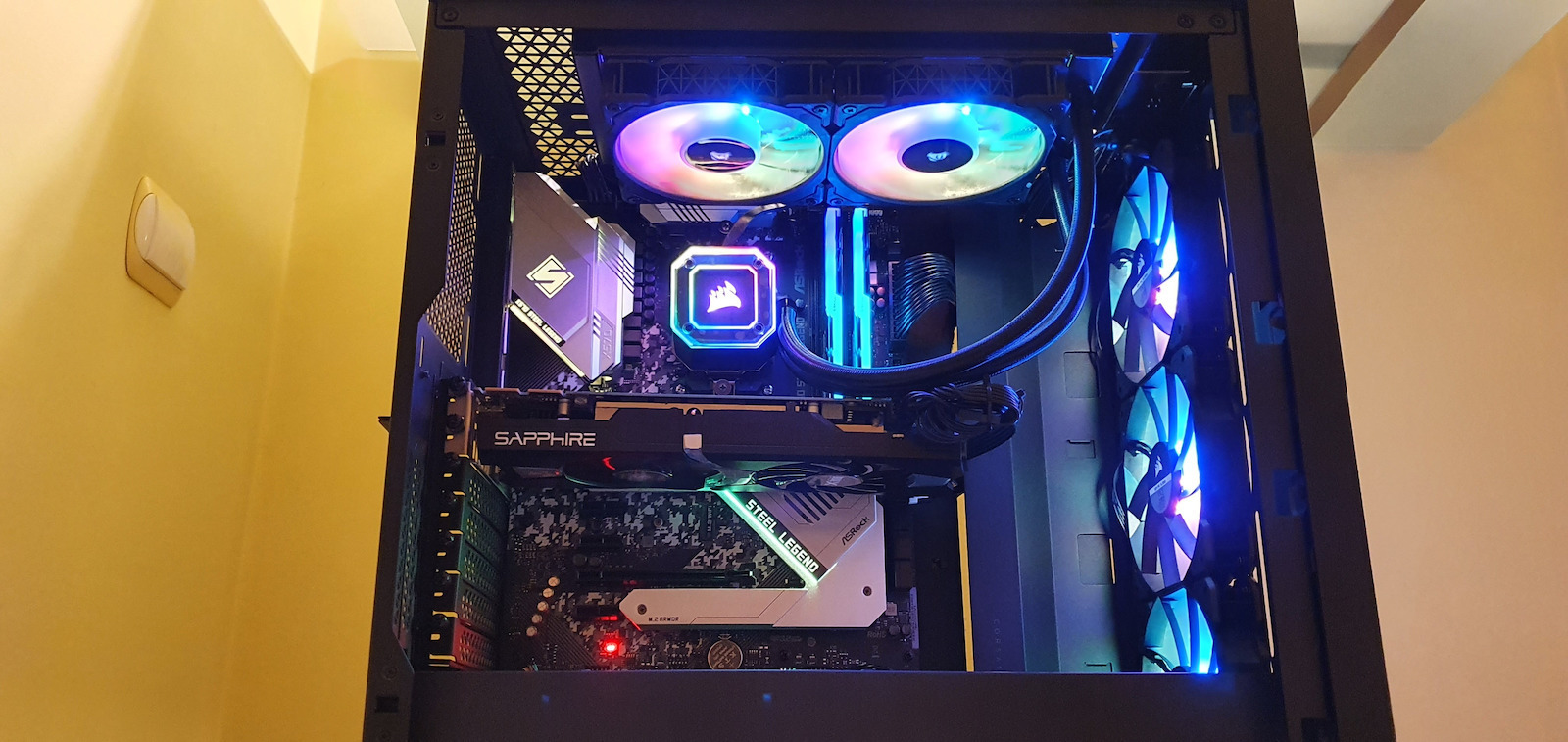
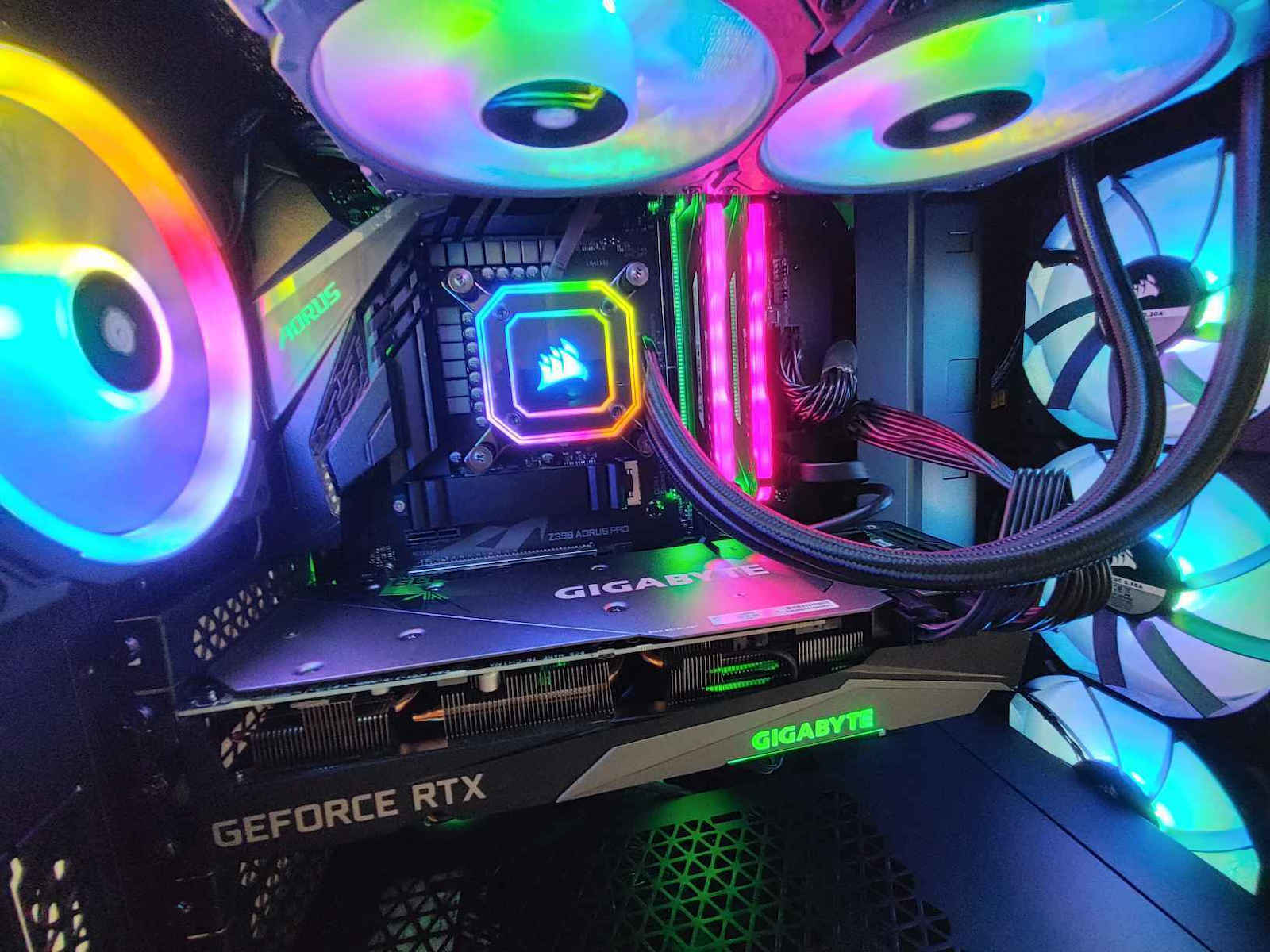
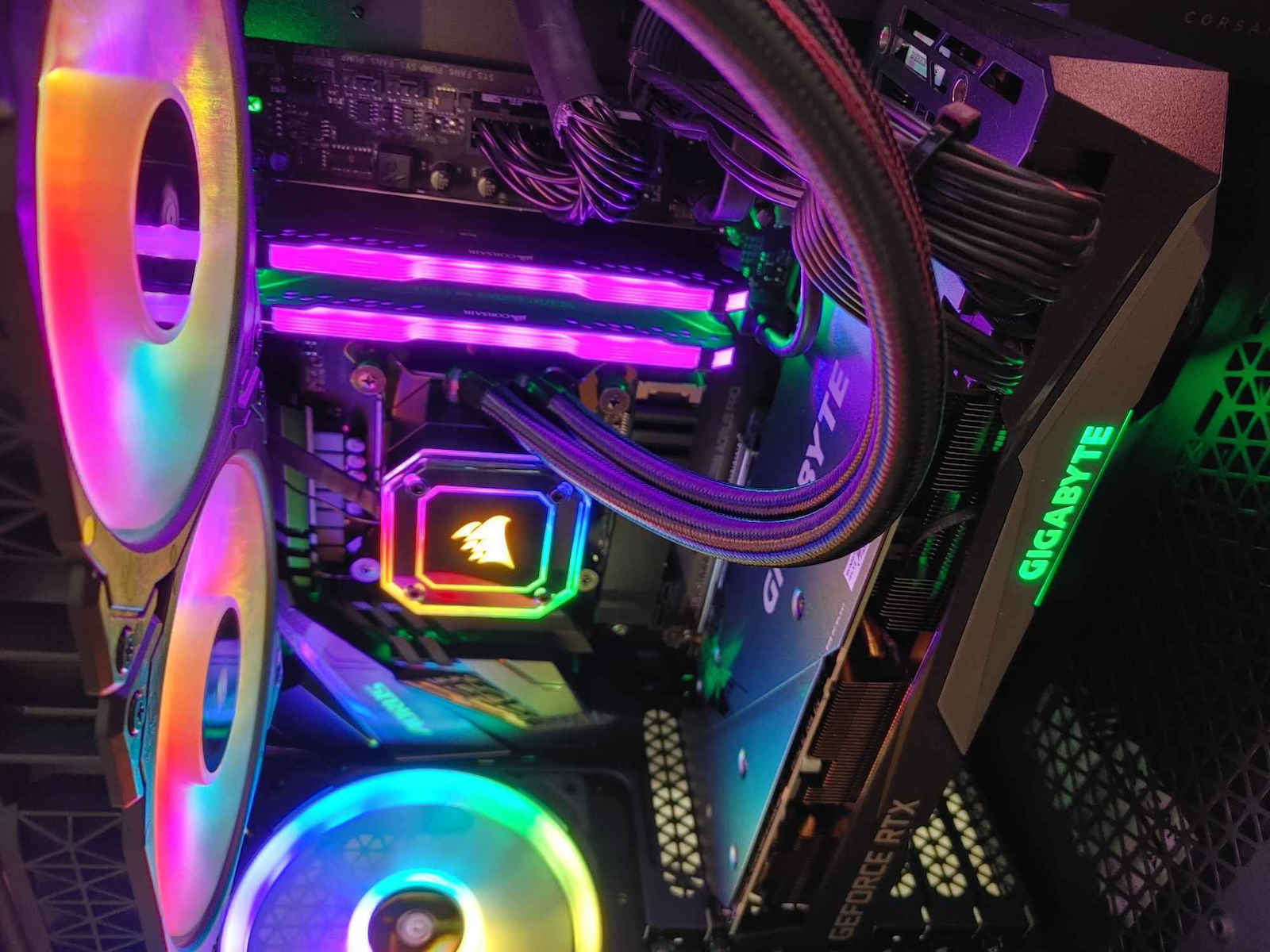
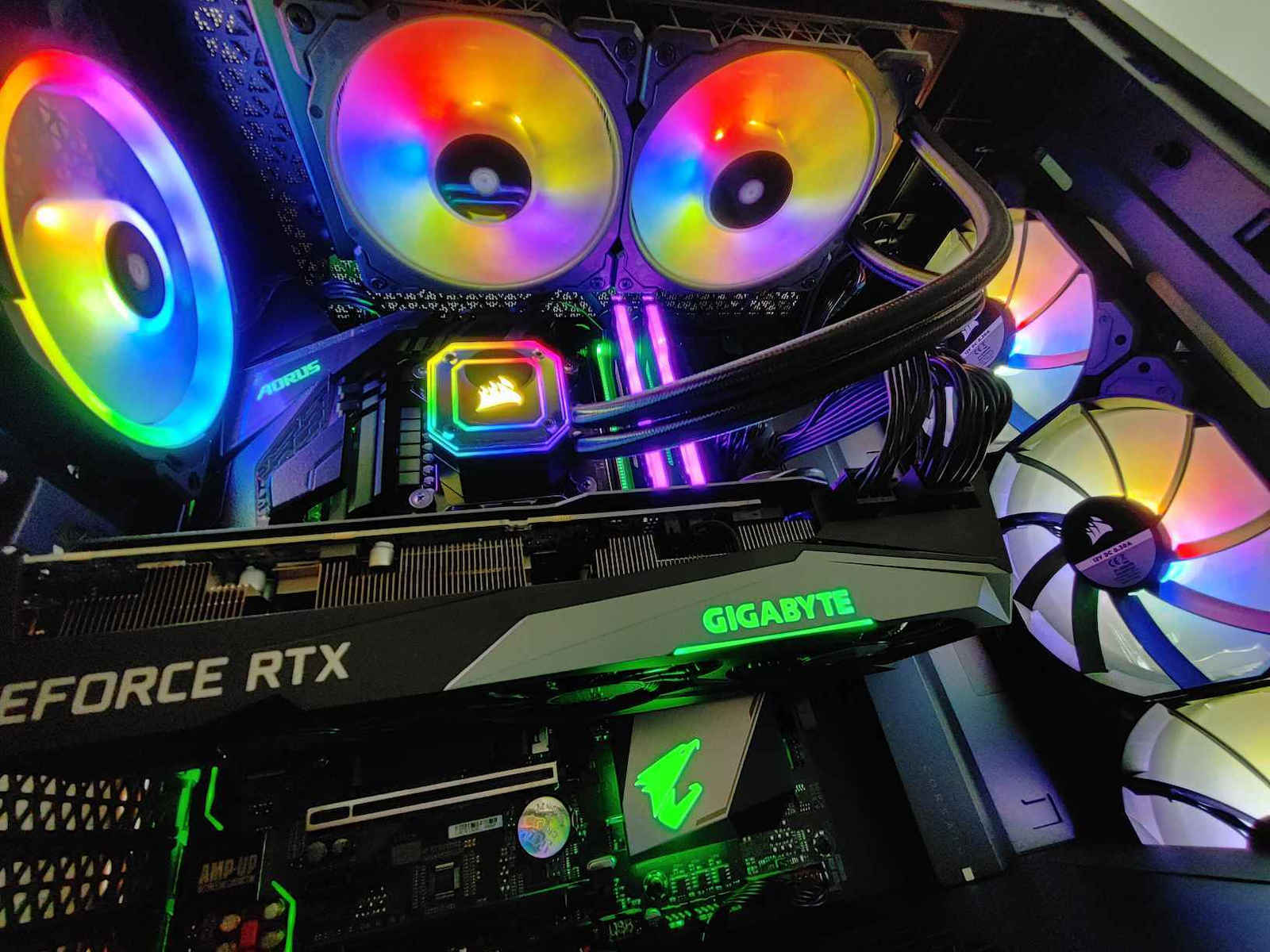
Βασικά χαρακτηριστικά:
Ισχυρή ψύξη χαμηλού θορύβου για τη CPU σας, με ψυγείο 240 mm, τρεις ανεμιστήρες Corsair ML120 RGB PWM και μια φωτεινή κεφαλή αντλίας Capellix RGB.
Δες όλη την περιγραφήΧαρακτηριστικά
Ο βέλτιστος σχεδιασμός ψυχρής πλάκας και μια στοίβα υψηλής πυκνότητας 128 πτερυγίων μικροδιαμόρφωσης ανά ίντσα παρέχουν πολύ αποτελεσματική ψύξη σε όλα τα φορτία.

Παρέχει ρυθμό ροής έως 0,82L / min ενώ παράγει λιγότερο από 20 dBA, για μεγάλη ψύξη με χαμηλό θόρυβο.
Τα δεδομένα αυτά συλλέγονται από τις επίσημες σελίδες των προϊόντων. Επιβεβαίωσε τα στοιχεία πριν προχωρήσεις στην τελική αγορά. Εάν παρατηρήσεις κάποιο πρόβλημα μπορείς να το αναφέρεις εδώ.
Οι χρήστες αξιολογούν πολύ θετικά την υδρόψυξη, επαινώντας κυρίως την αθόρυβη λειτουργία και την εύκολη εγκατάσταση. Αναφέρουν επίσης καλή ψύξη σε απαιτητικούς επεξεργαστές, ποιοτική κατασκευή και εντυπωσιακό φωτισμό RGB. Ωστόσο, επισημαίνεται ότι είναι προσανατολισμένη στην ήσυχη λειτουργία και όχι στην ακραία απόδοση.

Η ψυκτρα φανταστική η ποιότητα υλικά και εγκατάσταση φαντάστηκα ,η συγκεκριμένη σειρά έχει φτιαχτεί για να είναι αθόρυβη όχι για extreme performance που είναι καλό, με 3800Χ prime95 61-65c, cinebench r23 77c (balanced mode) και με το quiet mode 1-2c παραπάνω και είναι πολύ αθόρυβη
Αν έχετε την stock ψυκτρα την wraith prism που έρχεται με Ryzen 7,9 θα έχει λίγο καλύτερες θερμοκρασίες αλλά θα είναι πολύ πιο αθόρυβη και δεν θα ακούγεται σαν τουρμπίνα
Επίσης να επισημάνουμε ότι η πάστα που έχω ήταν μια φτηνή όχι κάτι φανταστικό που αν βάλετε μια καλή -3c
Η ψύκτρα μπήκε σε 7700Κ, ένας ιδιαίτερος επεξεργαστής αφού φημίζεται για την υψηλές θερμοκρασίες σε idle. Προηγουμένως είχα την H60i επίσης corsair που όμως είχε αρχίσει να έχει θέματα η τρόμπα μετά από 7 χρόνια (εκ των οποίων τα 5 σε εγγύηση) και έτσι την άλλαξα προληπτικά. Δεν είμαι OC guy έτσι η ψυκτρούλα πήγε καθαρά για ομορφιά στο κουτί και στο pc μέχρι να αποφασίσω να βάλω custom loop.
Η ψύκτρα έρχεται με mounts για intel/amd AM4/amd TR4, 2 ML120 , 2 καπάκια για το μπροστινο του waterblock (άσπρο και μαύρο) και ένα RGB/FAN hub 6 θέσεων της corsair.
Η εγκατάσταση γελοία εύκολη που μόνο το κατσαβίδι στο χέρι δε σου δίνει. Μια ασήμαντη για πολλούς αλλά σημαντική για εμένα λεπτομέρια είναι το backplate , πάνω στο οποίο κουμπώνουν οι βίδες του WB στην intel έχει αυτοκόλλητο και έτσι κολλάει πάνω στη μητρική. Προηγουμένως ήταν στον αέρα με αποτελέσμα να έχω πολλές φορές πρόβλημα στην σωστή εγκατάσταση.
Στο διαταύτα τώρα η φάση είναι plug n play. Τα βάζεις τα εντοπίζει το iCUE και μετά ξεκινάει το πάρτυ. Το λογισμικό παρέχει όλες τις πληροφορίες που θες αναλυτικά. Θερμοκρασίες των πάντων (ακόμα και του ψυκτικού υγρού) , και αυξομείωση εντασης τρόμπας και fans με δυνατότητα μέχρι Zero fan RPM στα PWM fans. Τα ML120 είναι αθόρυβα γενικά η τρόμπα όμως έχει το εξής παράδοξο. Στο quiet και balanced mode ακούγεται εκνευριστικά πολύ, στο extreme mode είναι ήρεμη.
Γενικά θερμοκρασίες δε σήκωσε. Με κλειστά όλα τα fans και τρόμπα quiet έφτασε με το ζόρι 50 σε δώματιο 30 βαθμων. Έτσι με μια ανάλογη GPU και ένα ανάλογο τροφοδοτικο Zero fan rpm το μόνο που ακους ειναι το νεράκι σε ηρεμία.
To hub αδυνατεί να αλλάξει RPM στα 3pin fans, μόνο να σου λέει πόσα δίνει κάτι που το καθιστά άχρηστο και σε βάζει στη διαδικασία να δεις τα PWM fans της αγοράς και εκεί ξεκινάει ο πόνος αφου μια τριάδα RGB της corsair έχει 100€ και επειδή έχει 6 θέσεις και εσύ έχεις ήδη 5 fans ( 3 ψύξης κουτιού essential) θες δεύτερο hub που σε ορισμένες περιπτώσεις παρέχεται στα corsair κάτι προφανώς και θες γιατί αφενός μια μέση μητρική έχει 3 case fans headers που δε φτάνουν ούτε για ζήτω και αφετέρου αφού έχεις είναι καλό να τα δουλεύεις όλα σε ένα πρόγραμμα που εν προκειμένω είναι το iCUE Η όλη φάση δηλαδή σε βάζει στη διαδικασία να πάρεις όλο τον ψυκτικό εξοπλισμό από την corsair θες δε θες και σου βάζει και το τυράκι ότι ορισμένα κουτιά της έρχονται με fan hub της εταιρίας οπότε απο εκεί που έλεγες θα δώσω 100€ φτάνεις να θες 500€ χωρίς να είσαι κανάς σοβαρός power user απλά για RGB fans , ένα κουτί και μια ψύκτρα που είναι πραγματικά πολλά αν σκεφτείς το κόστος του υπόλοιπου hardware....
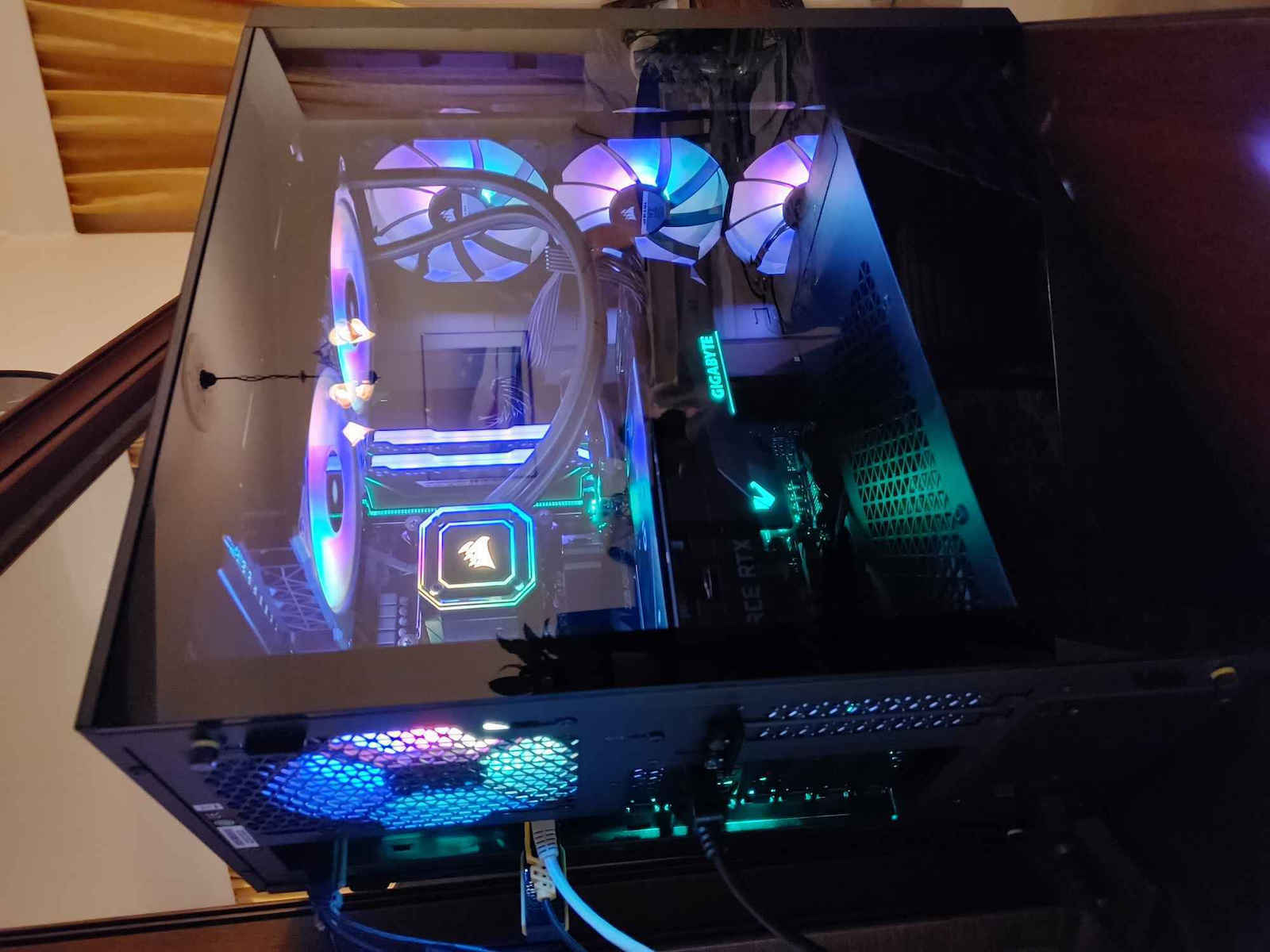
Είναι η πρώτη μου αγορά σε υδροψηξη,την έχω για να ψύχει έναν i9-9900K ο οποίος τρέχει μια RTX 3070 Gaming.Η χρήση που κάνω είναι gaming και θεωρώ ότι για τα δεδομένα του επεξεργαστη (ανεβάζει αρκετή θερμοκρασία ο συγκεκριμένος) κάνει καλά την δουλειά της.Αν πούμε ότι το κουτί είναι τοποθετημένο στο 1 μέτρο ύψος από το πάτωμα σε δωμάτιο που δεν ξεπερνά τους 25°c η θερμοκρασία που παίζει είναι 55-70 βαθμούς max (η μέτρηση έχει γίνει τους καλοκαιρινούς μήνες) όταν παίζω game σε 2Κ ανάλυση και τα γραφικά ολα στα ultra.Το έχω τοποθετήσει στο επάνω μέρος του κουτιού γιατί οι περισσότεροι λένε πως εκεί ο κύκλος του ψυκτικού υγρού γίνετε καλύτερα απο κάθε άλλο σημείο αν και εγώ πιστεύω ότι αν τοποθετηθεί μπροστά θα ρίξει την θερμοκρασία τουλάχιστον 5 βαθμούς κάτω και αυτό γιατί θα ψύχεται με δροσερό αέρα που θα παίρνει κατευθείαν από έξω και όχι με σχετικά ζεστό που έχει μέσα ήδη το κουτί.Σαν εμφάνιση τα LED του είναι φανταστικά και μέσω ICUn τα κάνεις πραγματικά ότι θέλεις,αθόρυβο μέχρι το 70% μετά αρχίζει λίγο να ακούγετε,λογικό.Ποιοτητα κατασκευεις πολύ καλή και όσο για αξιοπιστία θα δείξει γιατί εγώ το χρησιμοποιώ 3 μήνες τώρα.Θα σας αναφέρω όλο το σύστημα γιατί παίζει ρόλο το πόσο πολύ ζορίζετε ο επεξσργαστης στις απαιτήσεις που εχεις δώσει. i9-9900K ---> RTX 3070 Gming ---> οθόνη 2K 144hz.

Τρομερή ποιότητα,πανέμορφη,εύκολη στην εγκατάσταση,αθόρυβη περιέχει μέσα fan controller για 6 ανεμιστήρες και από θερμοκρασίες πάνω σε ένα 5600x πολύ χαμηλές


ειναι τελειο αξιζει ολα τα λεφτα πραγματικα η corair εχει κανει καλη δουλεια
Επιβεβαιωμένη αγορά
Επιβεβαιωμένη αγορά
Επιβεβαιωμένη αγορά
Η ψυκτρα φανταστική η ποιότητα υλικά και εγκατάσταση φαντάστηκα ,η συγκεκριμένη σειρά έχει φτιαχτεί για να είναι αθόρυβη όχι για extreme performance που είναι καλό, με 3800Χ prime95 61-65c, cinebench r23 77c (balanced mode) και με το quiet mode 1-2c παραπάνω και είναι πολύ αθόρυβη
Αν έχετε την stock ψυκτρα την wraith prism που έρχεται με Ryzen 7,9 θα έχει λίγο καλύτερες θερμοκρασίες αλλά θα είναι πολύ πιο αθόρυβη και δεν θα ακούγεται σαν τουρμπίνα
Επίσης να επισημάνουμε ότι η πάστα που έχω ήταν μια φτηνή όχι κάτι φανταστικό που αν βάλετε μια καλή -3c
Η ψύκτρα μπήκε σε 7700Κ, ένας ιδιαίτερος επεξεργαστής αφού φημίζεται για την υψηλές θερμοκρασίες σε idle. Προηγουμένως είχα την H60i επίσης corsair που όμως είχε αρχίσει να έχει θέματα η τρόμπα μετά από 7 χρόνια (εκ των οποίων τα 5 σε εγγύηση) και έτσι την άλλαξα προληπτικά. Δεν είμαι OC guy έτσι η ψυκτρούλα πήγε καθαρά για ομορφιά στο κουτί και στο pc μέχρι να αποφασίσω να βάλω custom loop.
Η ψύκτρα έρχεται με mounts για intel/amd AM4/amd TR4, 2 ML120 , 2 καπάκια για το μπροστινο του waterblock (άσπρο και μαύρο) και ένα RGB/FAN hub 6 θέσεων της corsair.
Η εγκατάσταση γελοία εύκολη που μόνο το κατσαβίδι στο χέρι δε σου δίνει. Μια ασήμαντη για πολλούς αλλά σημαντική για εμένα λεπτομέρια είναι το backplate , πάνω στο οποίο κουμπώνουν οι βίδες του WB στην intel έχει αυτοκόλλητο και έτσι κολλάει πάνω στη μητρική. Προηγουμένως ήταν στον αέρα με αποτελέσμα να έχω πολλές φορές πρόβλημα στην σωστή εγκατάσταση.
Στο διαταύτα τώρα η φάση είναι plug n play. Τα βάζεις τα εντοπίζει το iCUE και μετά ξεκινάει το πάρτυ. Το λογισμικό παρέχει όλες τις πληροφορίες που θες αναλυτικά. Θερμοκρασίες των πάντων (ακόμα και του ψυκτικού υγρού) , και αυξομείωση εντασης τρόμπας και fans με δυνατότητα μέχρι Zero fan RPM στα PWM fans. Τα ML120 είναι αθόρυβα γενικά η τρόμπα όμως έχει το εξής παράδοξο. Στο quiet και balanced mode ακούγεται εκνευριστικά πολύ, στο extreme mode είναι ήρεμη.
Γενικά θερμοκρασίες δε σήκωσε. Με κλειστά όλα τα fans και τρόμπα quiet έφτασε με το ζόρι 50 σε δώματιο 30 βαθμων. Έτσι με μια ανάλογη GPU και ένα ανάλογο τροφοδοτικο Zero fan rpm το μόνο που ακους ειναι το νεράκι σε ηρεμία.
To hub αδυνατεί να αλλάξει RPM στα 3pin fans, μόνο να σου λέει πόσα δίνει κάτι που το καθιστά άχρηστο και σε βάζει στη διαδικασία να δεις τα PWM fans της αγοράς και εκεί ξεκινάει ο πόνος αφου μια τριάδα RGB της corsair έχει 100€ και επειδή έχει 6 θέσεις και εσύ έχεις ήδη 5 fans ( 3 ψύξης κουτιού essential) θες δεύτερο hub που σε ορισμένες περιπτώσεις παρέχεται στα corsair κάτι προφανώς και θες γιατί αφενός μια μέση μητρική έχει 3 case fans headers που δε φτάνουν ούτε για ζήτω και αφετέρου αφού έχεις είναι καλό να τα δουλεύεις όλα σε ένα πρόγραμμα που εν προκειμένω είναι το iCUE Η όλη φάση δηλαδή σε βάζει στη διαδικασία να πάρεις όλο τον ψυκτικό εξοπλισμό από την corsair θες δε θες και σου βάζει και το τυράκι ότι ορισμένα κουτιά της έρχονται με fan hub της εταιρίας οπότε απο εκεί που έλεγες θα δώσω 100€ φτάνεις να θες 500€ χωρίς να είσαι κανάς σοβαρός power user απλά για RGB fans , ένα κουτί και μια ψύκτρα που είναι πραγματικά πολλά αν σκεφτείς το κόστος του υπόλοιπου hardware....
Είναι η πρώτη μου αγορά σε υδροψηξη,την έχω για να ψύχει έναν i9-9900K ο οποίος τρέχει μια RTX 3070 Gaming.Η χρήση που κάνω είναι gaming και θεωρώ ότι για τα δεδομένα του επεξεργαστη (ανεβάζει αρκετή θερμοκρασία ο συγκεκριμένος) κάνει καλά την δουλειά της.Αν πούμε ότι το κουτί είναι τοποθετημένο στο 1 μέτρο ύψος από το πάτωμα σε δωμάτιο που δεν ξεπερνά τους 25°c η θερμοκρασία που παίζει είναι 55-70 βαθμούς max (η μέτρηση έχει γίνει τους καλοκαιρινούς μήνες) όταν παίζω game σε 2Κ ανάλυση και τα γραφικά ολα στα ultra.Το έχω τοποθετήσει στο επάνω μέρος του κουτιού γιατί οι περισσότεροι λένε πως εκεί ο κύκλος του ψυκτικού υγρού γίνετε καλύτερα απο κάθε άλλο σημείο αν και εγώ πιστεύω ότι αν τοποθετηθεί μπροστά θα ρίξει την θερμοκρασία τουλάχιστον 5 βαθμούς κάτω και αυτό γιατί θα ψύχεται με δροσερό αέρα που θα παίρνει κατευθείαν από έξω και όχι με σχετικά ζεστό που έχει μέσα ήδη το κουτί.Σαν εμφάνιση τα LED του είναι φανταστικά και μέσω ICUn τα κάνεις πραγματικά ότι θέλεις,αθόρυβο μέχρι το 70% μετά αρχίζει λίγο να ακούγετε,λογικό.Ποιοτητα κατασκευεις πολύ καλή και όσο για αξιοπιστία θα δείξει γιατί εγώ το χρησιμοποιώ 3 μήνες τώρα.Θα σας αναφέρω όλο το σύστημα γιατί παίζει ρόλο το πόσο πολύ ζορίζετε ο επεξσργαστης στις απαιτήσεις που εχεις δώσει. i9-9900K ---> RTX 3070 Gming ---> οθόνη 2K 144hz.
Τρομερή ποιότητα,πανέμορφη,εύκολη στην εγκατάσταση,αθόρυβη περιέχει μέσα fan controller για 6 ανεμιστήρες και από θερμοκρασίες πάνω σε ένα 5600x πολύ χαμηλές
85 χρήστες έχουν το προϊόν και μπορούν να σε βοηθήσουν
Ρώτησε για το προϊόν
μπορω να κανω front mount ? το κουτι μου περνει μονο μπροστα


Ποιους ανεμιστήρες φοράει????

ML 120

ξερει κανεις αν ειναι καλυτερη απο την Kraken X53?

Δεν βλεπω τρομερες διαφορες ακομη και σε review που ειδα στο YouTube. Προσωπικα εχω αγορασει συνολικα 3 κουτια απο την NZXT και ειδα πως εχει καταπλικτικη δουλεια οποτε πηγα και εκει για υδροψυξη (Χ63 βεβαια για να εχω 140mm ανεμηστηρακια). 3 μηνες που την εχω παει πενα οποτε θα σου προτεινα NZXT καθαρα επειδη το εχω ζησει, χωρις να σου λεω μην κοιταξεις ισαξια την Corsair.
Διαφορες: η Corsair φτανει 300 rpm παραπανω και εχει RGB ανεμηστηρες αλλα κοστιζει 18 ευρω παραπανω. Για μενα, αν το κουτι σου χωραει 140mm fans πηγαινε σε X63 για περισσοτερη υσηχια αν θες αλλιως επιλεγεις αναμεσα στις δυο που εφερες. Εγω για 18 ευρω ισως πηγαινα στα RGB και τα λιγο πιο γρηγορα ανεμηστηρακια να σου πω την αληθεια απο την Corsair.

με 5800x3d θα είναι κομπλέ ή θα χρειαστεί ποιο ακριβό cooler?
Ο βέλτιστος σχεδιασμός ψυχρής πλάκας και μια στοίβα υψηλής πυκνότητας 128 πτερυγίων μικροδιαμόρφωσης ανά ίντσα παρέχουν πολύ αποτελεσματική ψύξη σε όλα τα φορτία.
Παρέχει ρυθμό ροής έως 0,82L / min ενώ παράγει λιγότερο από 20 dBA, για μεγάλη ψύξη με χαμηλό θόρυβο.
Τα δεδομένα αυτά συλλέγονται από τις επίσημες σελίδες των προϊόντων. Επιβεβαίωσε τα στοιχεία πριν προχωρήσεις στην τελική αγορά. Εάν παρατηρήσεις κάποιο πρόβλημα μπορείς να το αναφέρεις εδώ.
Οι χρήστες αξιολογούν πολύ θετικά την υδρόψυξη, επαινώντας κυρίως την αθόρυβη λειτουργία και την εύκολη εγκατάσταση. Αναφέρουν επίσης καλή ψύξη σε απαιτητικούς επεξεργαστές, ποιοτική κατασκευή και εντυπωσιακό φωτισμό RGB. Ωστόσο, επισημαίνεται ότι είναι προσανατολισμένη στην ήσυχη λειτουργία και όχι στην ακραία απόδοση.
Η ψυκτρα φανταστική η ποιότητα υλικά και εγκατάσταση φαντάστηκα ,η συγκεκριμένη σειρά έχει φτιαχτεί για να είναι αθόρυβη όχι για extreme performance που είναι καλό, με 3800Χ prime95 61-65c, cinebench r23 77c (balanced mode) και με το quiet mode 1-2c παραπάνω και είναι πολύ αθόρυβη
Αν έχετε την stock ψυκτρα την wraith prism που έρχεται με Ryzen 7,9 θα έχει λίγο καλύτερες θερμοκρασίες αλλά θα είναι πολύ πιο αθόρυβη και δεν θα ακούγεται σαν τουρμπίνα
Επίσης να επισημάνουμε ότι η πάστα που έχω ήταν μια φτηνή όχι κάτι φανταστικό που αν βάλετε μια καλή -3c
Η ψύκτρα μπήκε σε 7700Κ, ένας ιδιαίτερος επεξεργαστής αφού φημίζεται για την υψηλές θερμοκρασίες σε idle. Προηγουμένως είχα την H60i επίσης corsair που όμως είχε αρχίσει να έχει θέματα η τρόμπα μετά από 7 χρόνια (εκ των οποίων τα 5 σε εγγύηση) και έτσι την άλλαξα προληπτικά. Δεν είμαι OC guy έτσι η ψυκτρούλα πήγε καθαρά για ομορφιά στο κουτί και στο pc μέχρι να αποφασίσω να βάλω custom loop.
Η ψύκτρα έρχεται με mounts για intel/amd AM4/amd TR4, 2 ML120 , 2 καπάκια για το μπροστινο του waterblock (άσπρο και μαύρο) και ένα RGB/FAN hub 6 θέσεων της corsair.
Η εγκατάσταση γελοία εύκολη που μόνο το κατσαβίδι στο χέρι δε σου δίνει. Μια ασήμαντη για πολλούς αλλά σημαντική για εμένα λεπτομέρια είναι το backplate , πάνω στο οποίο κουμπώνουν οι βίδες του WB στην intel έχει αυτοκόλλητο και έτσι κολλάει πάνω στη μητρική. Προηγουμένως ήταν στον αέρα με αποτελέσμα να έχω πολλές φορές πρόβλημα στην σωστή εγκατάσταση.
Στο διαταύτα τώρα η φάση είναι plug n play. Τα βάζεις τα εντοπίζει το iCUE και μετά ξεκινάει το πάρτυ. Το λογισμικό παρέχει όλες τις πληροφορίες που θες αναλυτικά. Θερμοκρασίες των πάντων (ακόμα και του ψυκτικού υγρού) , και αυξομείωση εντασης τρόμπας και fans με δυνατότητα μέχρι Zero fan RPM στα PWM fans. Τα ML120 είναι αθόρυβα γενικά η τρόμπα όμως έχει το εξής παράδοξο. Στο quiet και balanced mode ακούγεται εκνευριστικά πολύ, στο extreme mode είναι ήρεμη.
Γενικά θερμοκρασίες δε σήκωσε. Με κλειστά όλα τα fans και τρόμπα quiet έφτασε με το ζόρι 50 σε δώματιο 30 βαθμων. Έτσι με μια ανάλογη GPU και ένα ανάλογο τροφοδοτικο Zero fan rpm το μόνο που ακους ειναι το νεράκι σε ηρεμία.
To hub αδυνατεί να αλλάξει RPM στα 3pin fans, μόνο να σου λέει πόσα δίνει κάτι που το καθιστά άχρηστο και σε βάζει στη διαδικασία να δεις τα PWM fans της αγοράς και εκεί ξεκινάει ο πόνος αφου μια τριάδα RGB της corsair έχει 100€ και επειδή έχει 6 θέσεις και εσύ έχεις ήδη 5 fans ( 3 ψύξης κουτιού essential) θες δεύτερο hub που σε ορισμένες περιπτώσεις παρέχεται στα corsair κάτι προφανώς και θες γιατί αφενός μια μέση μητρική έχει 3 case fans headers που δε φτάνουν ούτε για ζήτω και αφετέρου αφού έχεις είναι καλό να τα δουλεύεις όλα σε ένα πρόγραμμα που εν προκειμένω είναι το iCUE Η όλη φάση δηλαδή σε βάζει στη διαδικασία να πάρεις όλο τον ψυκτικό εξοπλισμό από την corsair θες δε θες και σου βάζει και το τυράκι ότι ορισμένα κουτιά της έρχονται με fan hub της εταιρίας οπότε απο εκεί που έλεγες θα δώσω 100€ φτάνεις να θες 500€ χωρίς να είσαι κανάς σοβαρός power user απλά για RGB fans , ένα κουτί και μια ψύκτρα που είναι πραγματικά πολλά αν σκεφτείς το κόστος του υπόλοιπου hardware....
Είναι η πρώτη μου αγορά σε υδροψηξη,την έχω για να ψύχει έναν i9-9900K ο οποίος τρέχει μια RTX 3070 Gaming.Η χρήση που κάνω είναι gaming και θεωρώ ότι για τα δεδομένα του επεξεργαστη (ανεβάζει αρκετή θερμοκρασία ο συγκεκριμένος) κάνει καλά την δουλειά της.Αν πούμε ότι το κουτί είναι τοποθετημένο στο 1 μέτρο ύψος από το πάτωμα σε δωμάτιο που δεν ξεπερνά τους 25°c η θερμοκρασία που παίζει είναι 55-70 βαθμούς max (η μέτρηση έχει γίνει τους καλοκαιρινούς μήνες) όταν παίζω game σε 2Κ ανάλυση και τα γραφικά ολα στα ultra.Το έχω τοποθετήσει στο επάνω μέρος του κουτιού γιατί οι περισσότεροι λένε πως εκεί ο κύκλος του ψυκτικού υγρού γίνετε καλύτερα απο κάθε άλλο σημείο αν και εγώ πιστεύω ότι αν τοποθετηθεί μπροστά θα ρίξει την θερμοκρασία τουλάχιστον 5 βαθμούς κάτω και αυτό γιατί θα ψύχεται με δροσερό αέρα που θα παίρνει κατευθείαν από έξω και όχι με σχετικά ζεστό που έχει μέσα ήδη το κουτί.Σαν εμφάνιση τα LED του είναι φανταστικά και μέσω ICUn τα κάνεις πραγματικά ότι θέλεις,αθόρυβο μέχρι το 70% μετά αρχίζει λίγο να ακούγετε,λογικό.Ποιοτητα κατασκευεις πολύ καλή και όσο για αξιοπιστία θα δείξει γιατί εγώ το χρησιμοποιώ 3 μήνες τώρα.Θα σας αναφέρω όλο το σύστημα γιατί παίζει ρόλο το πόσο πολύ ζορίζετε ο επεξσργαστης στις απαιτήσεις που εχεις δώσει. i9-9900K ---> RTX 3070 Gming ---> οθόνη 2K 144hz.
Τρομερή ποιότητα,πανέμορφη,εύκολη στην εγκατάσταση,αθόρυβη περιέχει μέσα fan controller για 6 ανεμιστήρες και από θερμοκρασίες πάνω σε ένα 5600x πολύ χαμηλές
ειναι τελειο αξιζει ολα τα λεφτα πραγματικα η corair εχει κανει καλη δουλεια
Επιβεβαιωμένη αγορά
Επιβεβαιωμένη αγορά
Επιβεβαιωμένη αγορά
Η ψυκτρα φανταστική η ποιότητα υλικά και εγκατάσταση φαντάστηκα ,η συγκεκριμένη σειρά έχει φτιαχτεί για να είναι αθόρυβη όχι για extreme performance που είναι καλό, με 3800Χ prime95 61-65c, cinebench r23 77c (balanced mode) και με το quiet mode 1-2c παραπάνω και είναι πολύ αθόρυβη
Αν έχετε την stock ψυκτρα την wraith prism που έρχεται με Ryzen 7,9 θα έχει λίγο καλύτερες θερμοκρασίες αλλά θα είναι πολύ πιο αθόρυβη και δεν θα ακούγεται σαν τουρμπίνα
Επίσης να επισημάνουμε ότι η πάστα που έχω ήταν μια φτηνή όχι κάτι φανταστικό που αν βάλετε μια καλή -3c
Η ψύκτρα μπήκε σε 7700Κ, ένας ιδιαίτερος επεξεργαστής αφού φημίζεται για την υψηλές θερμοκρασίες σε idle. Προηγουμένως είχα την H60i επίσης corsair που όμως είχε αρχίσει να έχει θέματα η τρόμπα μετά από 7 χρόνια (εκ των οποίων τα 5 σε εγγύηση) και έτσι την άλλαξα προληπτικά. Δεν είμαι OC guy έτσι η ψυκτρούλα πήγε καθαρά για ομορφιά στο κουτί και στο pc μέχρι να αποφασίσω να βάλω custom loop.
Η ψύκτρα έρχεται με mounts για intel/amd AM4/amd TR4, 2 ML120 , 2 καπάκια για το μπροστινο του waterblock (άσπρο και μαύρο) και ένα RGB/FAN hub 6 θέσεων της corsair.
Η εγκατάσταση γελοία εύκολη που μόνο το κατσαβίδι στο χέρι δε σου δίνει. Μια ασήμαντη για πολλούς αλλά σημαντική για εμένα λεπτομέρια είναι το backplate , πάνω στο οποίο κουμπώνουν οι βίδες του WB στην intel έχει αυτοκόλλητο και έτσι κολλάει πάνω στη μητρική. Προηγουμένως ήταν στον αέρα με αποτελέσμα να έχω πολλές φορές πρόβλημα στην σωστή εγκατάσταση.
Στο διαταύτα τώρα η φάση είναι plug n play. Τα βάζεις τα εντοπίζει το iCUE και μετά ξεκινάει το πάρτυ. Το λογισμικό παρέχει όλες τις πληροφορίες που θες αναλυτικά. Θερμοκρασίες των πάντων (ακόμα και του ψυκτικού υγρού) , και αυξομείωση εντασης τρόμπας και fans με δυνατότητα μέχρι Zero fan RPM στα PWM fans. Τα ML120 είναι αθόρυβα γενικά η τρόμπα όμως έχει το εξής παράδοξο. Στο quiet και balanced mode ακούγεται εκνευριστικά πολύ, στο extreme mode είναι ήρεμη.
Γενικά θερμοκρασίες δε σήκωσε. Με κλειστά όλα τα fans και τρόμπα quiet έφτασε με το ζόρι 50 σε δώματιο 30 βαθμων. Έτσι με μια ανάλογη GPU και ένα ανάλογο τροφοδοτικο Zero fan rpm το μόνο που ακους ειναι το νεράκι σε ηρεμία.
To hub αδυνατεί να αλλάξει RPM στα 3pin fans, μόνο να σου λέει πόσα δίνει κάτι που το καθιστά άχρηστο και σε βάζει στη διαδικασία να δεις τα PWM fans της αγοράς και εκεί ξεκινάει ο πόνος αφου μια τριάδα RGB της corsair έχει 100€ και επειδή έχει 6 θέσεις και εσύ έχεις ήδη 5 fans ( 3 ψύξης κουτιού essential) θες δεύτερο hub που σε ορισμένες περιπτώσεις παρέχεται στα corsair κάτι προφανώς και θες γιατί αφενός μια μέση μητρική έχει 3 case fans headers που δε φτάνουν ούτε για ζήτω και αφετέρου αφού έχεις είναι καλό να τα δουλεύεις όλα σε ένα πρόγραμμα που εν προκειμένω είναι το iCUE Η όλη φάση δηλαδή σε βάζει στη διαδικασία να πάρεις όλο τον ψυκτικό εξοπλισμό από την corsair θες δε θες και σου βάζει και το τυράκι ότι ορισμένα κουτιά της έρχονται με fan hub της εταιρίας οπότε απο εκεί που έλεγες θα δώσω 100€ φτάνεις να θες 500€ χωρίς να είσαι κανάς σοβαρός power user απλά για RGB fans , ένα κουτί και μια ψύκτρα που είναι πραγματικά πολλά αν σκεφτείς το κόστος του υπόλοιπου hardware....
Είναι η πρώτη μου αγορά σε υδροψηξη,την έχω για να ψύχει έναν i9-9900K ο οποίος τρέχει μια RTX 3070 Gaming.Η χρήση που κάνω είναι gaming και θεωρώ ότι για τα δεδομένα του επεξεργαστη (ανεβάζει αρκετή θερμοκρασία ο συγκεκριμένος) κάνει καλά την δουλειά της.Αν πούμε ότι το κουτί είναι τοποθετημένο στο 1 μέτρο ύψος από το πάτωμα σε δωμάτιο που δεν ξεπερνά τους 25°c η θερμοκρασία που παίζει είναι 55-70 βαθμούς max (η μέτρηση έχει γίνει τους καλοκαιρινούς μήνες) όταν παίζω game σε 2Κ ανάλυση και τα γραφικά ολα στα ultra.Το έχω τοποθετήσει στο επάνω μέρος του κουτιού γιατί οι περισσότεροι λένε πως εκεί ο κύκλος του ψυκτικού υγρού γίνετε καλύτερα απο κάθε άλλο σημείο αν και εγώ πιστεύω ότι αν τοποθετηθεί μπροστά θα ρίξει την θερμοκρασία τουλάχιστον 5 βαθμούς κάτω και αυτό γιατί θα ψύχεται με δροσερό αέρα που θα παίρνει κατευθείαν από έξω και όχι με σχετικά ζεστό που έχει μέσα ήδη το κουτί.Σαν εμφάνιση τα LED του είναι φανταστικά και μέσω ICUn τα κάνεις πραγματικά ότι θέλεις,αθόρυβο μέχρι το 70% μετά αρχίζει λίγο να ακούγετε,λογικό.Ποιοτητα κατασκευεις πολύ καλή και όσο για αξιοπιστία θα δείξει γιατί εγώ το χρησιμοποιώ 3 μήνες τώρα.Θα σας αναφέρω όλο το σύστημα γιατί παίζει ρόλο το πόσο πολύ ζορίζετε ο επεξσργαστης στις απαιτήσεις που εχεις δώσει. i9-9900K ---> RTX 3070 Gming ---> οθόνη 2K 144hz.
Τρομερή ποιότητα,πανέμορφη,εύκολη στην εγκατάσταση,αθόρυβη περιέχει μέσα fan controller για 6 ανεμιστήρες και από θερμοκρασίες πάνω σε ένα 5600x πολύ χαμηλές
