

Power Banks: Αναλυτικός Οδηγός Αγοράς
Χωρητικότητα (Πόσο ρεύμα χωράει;)
Η χωρητικότητα μετριέται σε mAh (μιλιαμπερώρια). Όσο πιο μεγάλο το νούμερο, τόσο περισσότερο ρεύμα αποθηκεύει το power bank.
5.000 mAh: Μικρό και πανάλαφρο. Θα σου δώσει περίπου μισή με μία φόρτιση. Ιδανικό για μια βραδινή έξοδο.
10.000 mAh: Η χρυσή τομή. Χωράει σε τσαντάκι, δεν είναι πολύ βαρύ και θα φορτίσει το κινητό σου 1 με 1,5 φορά.
20.000 mAh (και πάνω): Βαριά «τέρατα» ενέργειας. Τέλεια για κάμπινγκ, ταξίδια ή αν θέλεις να φορτίζεις και laptop.
Θύρες: Το τέλος του Micro-USB
Όταν κοιτάς τις τρύπες (θύρες) του power bank, τα πράγματα είναι πλέον απλά: Η λέξη κλειδί είναι το USB-C (η οβάλ θύρα που έχουν όλα τα σύγχρονα Android και πλέον και τα νέα iPhone).
Input (Είσοδος): Είναι η θύρα από την οποία φορτίζεις το ίδιο το power bank στον τοίχο. Πρέπει να είναι USB-C. Αν δεις θύρα Micro-USB, προσπέρασέ το, είναι παλιάς τεχνολογίας.
Output (Έξοδος): Είναι η θύρα από την οποία δίνεις ρεύμα στο κινητό σου. Καλό είναι το power bank να έχει τουλάχιστον μία θύρα USB-C και ίσως μία κλασική μεγάλη (USB-A) για παλιότερα καλώδια.
Ταχύτητα Φόρτισης (Watts)
Κανείς δεν θέλει να περιμένει με τις ώρες. Η ταχύτητα μετριέται σε Watts (W).
Για κινητά: Ψάξε για ένα power bank που να δίνει τουλάχιστον 20W. Έτσι, ένα σύγχρονο κινητό θα πάει από το 0% στο 50% σε περίπου μισή ώρα.
Για Laptops/Tablets: Αν θέλεις να φορτίζεις υπολογιστή, θα χρειαστείς τεχνολογία Power Delivery (PD) και νούμερα από 65W και πάνω.
Ασύρματη και Μαγνητική Φόρτιση
Βαρέθηκες τα καλώδια που μπλέκονται στην τσάντα σου;
Μαγνητικά Power Banks (MagSafe / Qi2): Αν έχεις iPhone 12 και μετά, ή κάποιο πολύ σύγχρονο Android, μπορείς να πάρεις ένα μαγνητικό power bank. Απλά το «κολλάς» στην πλάτη του κινητού σου σαν μαγνήτη ψυγείου και ξεκινάει να φορτίζει. Είναι ό,τι πιο βολικό για να χρησιμοποιείς το κινητό ενώ φορτίζει.
Τρία «Μικρά» Extras που κάνουν τη διαφορά
Όταν συγκρίνεις μοντέλα, δες αν έχουν αυτά τα σούπερ χρήσιμα χαρακτηριστικά:
Ταυτόχρονη Φόρτιση (Pass-Through): Σου επιτρέπει να βάλεις το power bank στην πρίζα το βράδυ και να συνδέσεις πάνω του το κινητό σου. Το πρωί θα ξυπνήσεις με το κινητό ΚΑΙ το power bank στο 100%.
Λειτουργία Χαμηλού Ρεύματος (Low-Current Mode): Τα ασύρματα ακουστικά (bluetooth earbuds) και τα smartwatches τραβάνε ελάχιστο ρεύμα. Πολλά απλά power banks νομίζουν ότι η συσκευή γέμισε και κλείνουν μόνα τους. Αυτή η λειτουργία εξασφαλίζει ότι τα μικροσκοπικά gadgets σου θα φορτιστούν σωστά.
Ενσωματωμένα καλώδια: Κάποια power banks έχουν το καλώδιο κρυμμένο/ενσωματωμένο στο σώμα τους. Τέλεια λύση αν είσαι από αυτούς που ξεχνάνε συνέχεια τα καλώδια στο σπίτι.

Προσοχή: Ταξιδεύεις με αεροπλάνο;
Αν ετοιμάζεσαι για πτήση, υπάρχει ένας αυστηρός διεθνής κανόνας ασφαλείας:
Ποτέ στις βαλίτσες! Τα power banks απαγορεύεται να μπουν στη μεγάλη βαλίτσα που δίνεις στο check-in (στον χώρο αποσκευών). Επιτρέπονται ΜΟΝΟ στην τσάντα ή τη χειραποσκευή που παίρνεις μαζί σου μέσα στην καμπίνα.
Το Όριο: Μπορείς να πάρεις power banks χωρητικότητας έως 100Wh (περίπου 27.000 mAh). Σχεδόν όλα τα καθημερινά power banks είναι κάτω από αυτό το όριο, οπότε δεν θα έχεις πρόβλημα. Για οτιδήποτε μεγαλύτερο, απαιτείται ειδική άδεια.
Συνοψίζοντας: Τι να αγοράσω τελικά;
Θέλεις κάτι απλό για κάθε μέρα; Πάρε ένα 10.000mAh με θύρα USB-C στα 20W.
Έχεις συμβατό κινητό και μισείς τα καλώδια; Πάρε ένα Μαγνητικό Power Bank.
Θέλεις να φορτίζεις και το laptop σου; Πάρε ένα 20.000mAh με 65W Power Delivery.
Σε πόση ώρα το power bank φορτίζει το κινητό μου;
Σε γενικές γραμμές αυτό εξαρτάται από τις δυνατότητες του smartphone και του powerbank, αλλά πλέον υπάρχουν δύο βασικά πρότυπα φόρτισης. Το Quick Charge 2.0, που ειναι το παλαιότερο πρότυπο γρήγορης φόρτισης, επιτρέπει στα κινητά να φτάσουν από το 0 στο 60% μέσα σε 30 λεπτά, ενώ το quick charge 3.0, έχει πιο αποδοτική και γρήγορη φόρτιση συμβατών συσκευών, επιτρέποντας τους να φτάσουν από το 0 στο 80% μέσα σε 35 λεπτά.
Γιατί δεν φορτίζει το power bank μου;
Υπάρχουν πολλοί λόγοι, για τους οποίους μπορεί το powerbank σου να μη φορτίζει μια συσκευή. Πάμε να δούμε τους πιο συνήθεις!
Κοίταξες το καλώδιο;
Ίσως να το έχεις ήδη δοκιμάσει, αλλά έλεγξε αν το καλώδιο έχει κάποια φθορά ή αν η υποδοχή έχει σκόνη ή βρομιά. Αν, αφού το καθαρίσεις, το πρόβλημα επιμείνει, δοκίμασε με κάποιο άλλο καλώδιο.
Έλεγξε την ισχύ εξόδου
Ενώ με smartphone μπορεί να μην αντιμετωπίζεις αυτό το πρόβλημα, αν προσπαθήσεις να φορτίσεις συσκευές με μεγαλύτερη τάση, μάλλον δεν θα τα καταφέρεις!
Πότε το φόρτισες τελευταία φορά;
Κάποια Power Bank δεν έχουν σήμανση της κατάστασης της μπαταρίας τους, οπότε μπορεί απλά να έχει τελειώσει η μπαταρία. Φόρτισέ το και δοκίμασε ξανά!

Σχετικά Άρθρα
Το Samsung Galaxy S26 έφτασε! Δες ποια είναι τα νέα μοντέλα
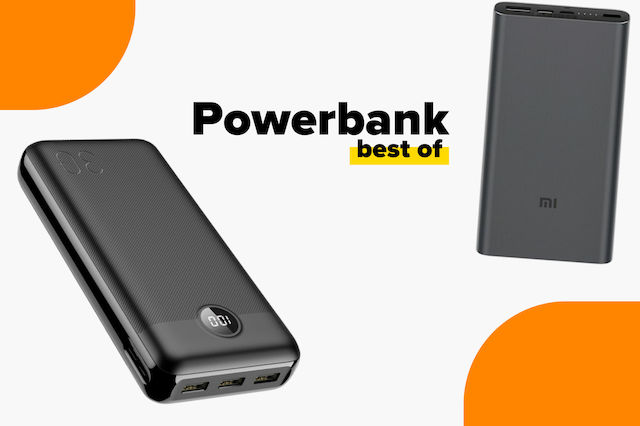
Τα καλύτερα power bank της αγοράς
Ποια είναι τα καλύτερα κινητά για το 2026;
Άφησε πρώτος το σχόλιό σου!