

Buying Guide for Computer Cases
How to choose the right computer case for your needs.
Computer cases are the enclosure that houses the internal components of a computer, such as the processor, motherboard, hard drive, power supply, and others. They are very important as they provide configuration for the placement and organization of the various computer components and also protect the internal components from physical damage, dust, and liquids.
Of course, computer cases also offer aesthetics, as they can have various designs, colors, and lighting that cover the user's personal style. There are many cases that include lighting around the hardware, illuminated fans, and many others.

The right choice
Buying a computer case is important for creating a reliable and functional system and requires attention. Certainly, within the choice we will make, there is also the aesthetic aspect which is subjective, but beyond the beauty of our case, there are important criteria to choose the right case based on our needs.
Whether we are talking about upgrading a computer or creating a new one, the most important thing to make the right choice is to see the type of computer we want to build. Depending on the type of computer we want to build (e.g. gaming pc), we will also make the choice for the size of the case, as each size gives us different possibilities.
Why is the size of the case important?
Aside from the practical aspect of how much space we have to accommodate the computer, size is very important as it determines the type and quantity of internal components of the computer, and it affects its cooling. In many cases, the size of the case we choose to get depends directly on the motherboard. We should make sure that the motherboard we have or want to get is not larger than the specifications of the case we will choose. The sizes of the motherboards which are also the most popular are EATX, ATX, MicroATX and Mini-ITX.

Computer case sizes
The four most popular sizes in computer cases are: Full Tower, Midi Tower, Mini Tower and Home-Theater PC (HTPC).
Full Tower (EATX): Full Tower cases can fit almost all EATX motherboards, as well as smaller boards. They provide more space than any other case size (in many cases they are over 20 inches tall), allowing us to install large graphics cards, large motherboards, as well as many hard drives, fans, etc. Also, due to their size, they offer better airflow inside, resulting in better performance.
Midi Tower (ATX): Midi Tower cases are perhaps the most common in terms of size, regardless of use. They can fit almost all ATX motherboards, as well as smaller boards. They provide enough space to install several hard drives, fans, as well as a second graphics card.
Mini Tower (MicroATX): Mini Tower computer cases offer flexible placement due to their size, and most cases of this size are still able to accommodate standard-sized components. In many cases, they are more economical than other sizes, due to fewer materials or a simpler design.
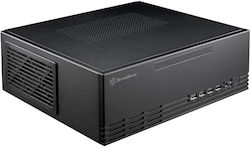
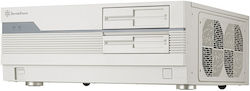
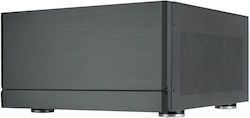
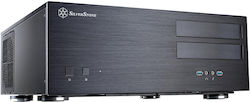
Home Theater (Mini ITX): Home Theater computer cases usually aim to save space and be more portable. They are chosen by users who want to build a Home Cinema. Their design allows for space saving, but usually imposes limitations on upgradability and expandability due to the limited space for additional components.

What size to choose based on the type of computer I want to build?
Gaming PC
A gaming pc should provide the user with high performance and reliability, in order to meet the requirements of every game. One of the most important things to consider when choosing a case for a gaming pc is the size of the graphics card, as it can be particularly large. Therefore, we must make sure that it fits in length in the case we choose. Often, graphics cards are so large that a hard drive cannot fit in the front of the case.
Therefore, we understand that the case we choose must have a size that can accommodate graphics cards, hard drives, fans, but also be able to accept additional fans, in order to meet even greater needs in the future. Additionally, the large size in these cases significantly helps with cable management, not only for aesthetic reasons, but also for proper airflow. Therefore, the ideal solution for a gaming pc is the size full tower or at least midi tower.


PC for home use
A simple computer for home use usually does not have special requirements, therefore a well-designed medium or small-sized case (midi tower, mini tower) is the appropriate choice.


Home-Cinema PC
A PC, which we want to use in a home-cinema system, usually does not have many performance requirements. The ideal choice for such use is a Home Theater (HTPC) box with an elegant design, so that we can place it in our living room or any desired space.





Additional important features
Once we have settled on the size that is right for us, we can focus on the extra features that a PC case can offer us, depending on our needs as well as our preferences. For example, in terms of aesthetics, many cases feature multi-color LED lighting (RGB lighting), as well as a side window, so that the inside of the case is visible.
Also, beyond the aesthetic aspect, they may have a card reader or even an integrated power supply. These and many other features that many computer cases can offer are optional, and each user chooses them based on how they have envisioned their own PC.
Now that we have learned the criteria for making the right case choice, we can see the best suggestions!

Relevant Articles
Computer Power Supplies: Detailed Buying Guide
The best Computer Power Supplies on the market
Processor Buying Guide
Be the first to leave a comment!