

Buying Guide for Projectors
Find the right projector for your needs!
The Light Source: Lamp, LED, or Laser?
The heart of every projector is the source that produces the light. Nowadays, the landscape has radically changed in favor of new technologies:
LED Projectors (Practical and Durable): They are the most popular choice for home use and portability. They offer vibrant colors, operate cooler, and most importantly: their lifespan reaches 20,000 to 30,000 hours. This means you can watch movies every day for 15+ years without ever needing to change a lamp!
Laser Projectors (The Ultimate Champions): The top technology on the market. They offer unmatched brightness, deep blacks, and perfect contrast. They turn on and off instantly (just like a TV) and also have a huge lifespan with absolutely no maintenance required.
Classic Lamp (The Traditional Solution): They are now tending to be phased out. Although they offer good brightness at a low initial purchase cost, their lamp wears out and needs replacement every 3,000 to 5,000 hours. In addition, they consume more electricity and emit quite a bit of heat.
Projection Technology: How is the image created?
Beyond how the light is produced, the projector uses an internal chip or panel to "paint" the image. The 4 main technologies you will find on the market are:
DLP (The most widespread and sharp): The image is created by a chip with millions of tiny mirrors. ? In practice: It offers excellent sharpness (very clear image), smooth motion, and high contrast. It is ideal for gaming and for compact/smart projectors. Cons: In some more affordable models, very sensitive eyes may notice brief flashes of color like a "rainbow" in fast scenes (Rainbow Effect).
3LCD (The power of vivid colors): Uses three separate liquid crystal panels (one for red, one for green, and one for blue). ? In practice: Produces extremely bright and rich colors (color brightness is as strong as white) and never displays the rainbow effect. Usually found in excellent Epson models.
Simple LCD (1 Panel - The budget solution): Uses only one panel and is mainly found in the most affordable (entry-level) projectors on the market. ? In practice: Does the job just fine for someone who wants to occasionally watch on a big screen at minimal cost. However, it lags behind in black performance (contrast).
LCoS / SXRD / D-ILA (The ultimate premium experience): Combines the advantages of DLP and LCD. You will only find it in expensive home theater models (e.g. Sony, JVC). ? In practice: Offers the deepest, most realistic blacks on the market and a 100% cinematic image. The trade-off is the larger size of the devices and the high cost.
Super Tip (Dust Protection): Especially if you choose a budget LCD or DLP projector, look for the feature "Fully Sealed Optical Engine". This ensures that no dust from the fan will ever enter the lens interior, saving you from permanent black spots on the screen!
Brightness: Beware of the "Lumens" Trap
To watch a movie clearly without needing the room to be in complete darkness, the projector needs to have strong light output.
⚠️ Beware of the trap: Many budget models advertise numbers like "8,000 Lumens." These measurements refer to the internal light of the lamp and not what actually reaches your eyes. When comparing projectors, trust only certified indicators such as ANSI Lumens, ISO Lumens, CCB, or CVIA Lumens.
Under 300 ANSI Lumens: Ideal only for small screen sizes and in a completely dark room (e.g., at night in the bedroom).
400 – 1,000 ANSI Lumens: The ideal range for Home Cinema in your living room at night, with light ambient lighting.
1,500+ ANSI Lumens: Extremely powerful. They can project a huge, crystal-clear image even during the day or in rooms with the lights on.
Analysis: Native vs Supported (What do your eyes see?)
In the specifications of many projectors, you will encounter two terms that often cause confusion:
Supported Resolution (Supported/Max): This simply means that the projector can accept a high-resolution file (e.g. 4K) from your laptop or console without freezing.
Native Resolution: This is the only number you should pay attention to. It is the actual resolution of the image that will be projected onto your wall or screen.
For a clear and sharp image at 80 to 100 inches, the minimum you should choose is Native Full HD (1080p). If your budget allows, upgrading to a Native 4K projector will give you crystal-clear detail and a high-level cinematic experience.
Projection Distance: Standard or Ultra Short Throw (UST)?
Depending on your room layout, you need to choose the right type of lens:
Standard Throw: These are the classic projectors. They require a distance of 2 to 4 meters from the projection wall (placed on a table or ceiling mount) to produce a large image.
Short Throw: They can project large inches from just 1-1.5 meters away.
Ultra Short Throw (UST): The ultimate trend for modern living rooms (also known as Laser TVs). You place them directly on the TV stand, just 10 to 20 centimeters away from the wall, and they project a giant 100-inch screen! You avoid running cables across the middle of the living room and no one blocks the image if they walk in front.
Super Tip (ALR Screens): If you combine a UST projector with a special ALR (Ambient Light Rejection) projection screen, which absorbs room light and only reflects the projector's light, the result rivals a regular TV in brightness and color—even at midday!
Smart Functions & Official Netflix
Modern, especially portable (smart) projectors are designed to make your life easier. If you choose such a model, pay attention to the following:
Image Automation (Auto Focus & Auto Keystone): Forget manual dials. Smart projectors have sensors and cameras. Even if you place them at an angle on a nightstand, they automatically focus and perfectly straighten (square) the image in just a few seconds.
Netflix Certification (Official Certification): Most smart projectors come with software (e.g. Google TV / Android TV) to download apps. However, pay attention: Make sure the device has official certification from Netflix. On many budget models without certification, the Netflix app either doesn’t work at all or plays in very low resolution. If the projector you like doesn’t have it, the solution is simple: connect an affordable TV Stick (e.g. Chromecast or Xiaomi Stick) to the HDMI port.
Projector for Gaming: What Should You Look Out For?
If you plan to connect your PlayStation, Xbox, or PC to the projector to play on a giant screen, resolution alone is not enough.
You definitely need to check the Input Lag (that is, the delay from the moment you press the button on the controller until you see the movement on the screen). Standard movie projectors often have high Input Lag, making the game feel "heavy" and delayed. Look for models that have a special Game Mode and offer Input Lag under 20ms, ensuring instant response and smooth gameplay.
Summary: Which Projector Should You Choose?
Do you want to set up the ultimate Home Cinema in a dedicated space? Choose a Native 4K projector (Laser or high Lumens) with ceiling installation or an Ultra Short Throw on your living room furniture.
Do you want flexibility, balcony movie nights and easy transport during holidays? A Smart Portable LED projector with Native 1080p resolution, Auto Keystone, and built-in speakers is the ideal, value-for-money solution.
Haven't decided yet? Watch the video & choose the best one for you!
Finally, you can also take a look at the guide to the best projectors on the market for every use and need, to help you arrive at the ideal choice for you!
Relevant Articles
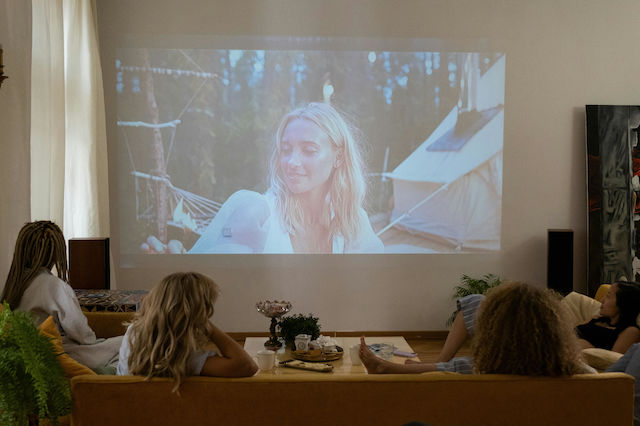
A living room...cinema
The new Mac Mini (M6 & M5 Pro) and Mac Studio (M5 Ultra) available for pre-order
The most popular Laptops of each brand and why you should choose them

Be the first to leave a comment!