

Laptop Buying Guide: Everything You Need to Know to Choose
Discover all the tips for buying a laptop, for every use!
In this guide, you will first see the 6 key features that will help you find which laptop categories best suit what you are looking for. In the second part, you will find information about some extra features that laptops have and that you might want to take into account.
If, on the other hand, you want to learn only the essentials and nothing more, click on the use case you want to see specialized guides:
- Simple everyday use (Browsing / Social media)
- School or Office (Presentations / Microsoft Office)
- Gaming (Hardcore & Casual)
- Apple User (Macbook Pro & Air)
- Video Editing (Video & Motions / Animations editing)
- On the go use (Lightweight & powerful)
- Graphic Design (Photoshop & Graphic Design)
- Software Engineering (Coding & AI)
If you want to learn everything, let's get started!
Main Features
1. Software
Windows
The Windows operating system is the most widely used, familiar to the majority of users, and offers open access to applications. With Windows software, you will find the widest range of laptops in terms of design, features, and price range.
Choose a laptop with Windows software:
- if you intend to use it for gaming. Windows laptops are the recommended solution, as other operating systems do not support all popular games.
- if you want variety, as well as
- if you want to make a safe choice and have the capabilities of the most widely used computer software.
The most popular series are: Lenovo ThinkPad, Asus Vivobook, Asus Zenbook && Lenovo Ideapad 3!
MacOS
MacOS software is available exclusively on Apple MacBooks, so there is a smaller range of options.
Choose it if:
you own other Apple devices, such as iPhone, iPad, Apple Watch, and the company's ecosystem suits you.
- if you want to make a safe and premium choice,
- if you work with image and video editing.
Chrome OS
This is Google's software, designed for systems with low specifications and power consumption, and intended mainly for browsing the Internet, social media, and applications that live... in the cloud.
Choose it if:
- if you are looking for a laptop for simple web browsing functions,
- if your main use is access to cloud services.
Linux
Linux is an open-source operating system that you can modify. This creates a wealth of possibilities and options, but at the same time makes it quite more difficult to use for the average user.
2. Processor
The processor is the "brain" of the computer and it executes all processes. In laptops (and desktop PCs), the main companies are Intel & AMD.
To easily find the processor that suits you, keep in mind that, most of the time, the larger the number in the name of a processor and the newer its generation, the faster and more improved its performance is!
Specifically:
Intel: Models in the form of 13XXXX belong to the 13th generation, while those in the form of 14XXXX belong to the latest and most recent 14th generation. The "Core Ultra" models omit the "i" prefix, focusing on artificial intelligence and energy efficiency.
AMD: Models in the form of 8XXXX belong to the Zen4 generation, while those in the form of 9XXXX belong to the latest and most recent Zen5 generation. The Ryzen AI models focus on artificial intelligence and energy efficiency.
At the same time, the processor family is also very important, as depending on the number of Cores and Threads, manufacturers categorize them to make it easier to identify what you want directly from the name.
It is essentially the number next to the processor's name, such as AMD Ryzen 5, Intel Core i5.
All of the above result in needing to consider an additional parameter in your choice, as an Intel Core 7 of the 14th generation is preferable to an Intel Core 9 of the 10th generation, due to being newer technology.
For convenience, the table below summarizes the processor families and their recommended uses.
3. Memory (RAM)
Memory is often confused with storage. RAM memory is the temporary memory that determines the volume of information and parallel tasks that a computer can handle/execute simultaneously at a given moment.
4. Graphics & Graphics Card
The graphics card, along with the monitor, determine the resolution and image quality you see on your screen. If you intend to use the laptop for simple everyday tasks or office work, such as Excel, Word, etc., prefer a laptop with an integrated graphics card (the integrated graphics card is included in most processors).
However, if you intend to use the laptop for more intense graphic processes, here's what we recommend, taking Nvidia graphics cards as an example:

5.Screen
I. Touch Screen
Do you want to combine the experience of a tablet: easily taking notes, drawing, and the classic experience of a laptop? Are you a graphic designer? Then choose a 2-in-1 laptop with a touch screen! You can find such laptops either with Windows or Chrome OS software.
#SkroutzTip
Combine your purchase with a touch stylus, for the best user experience and optimal use of the touch screen, in case it is not included with the laptop,
II. Screen Size
13.3'’ - Everywhere with you!
Laptops with this screen size are an excellent choice if you are always on the go, but the screen may seem small if your main activity is working with Excel-type files.
14'’ - The perfect balance
With this screen size, you find the perfect balance between portability and comfortable viewing.
15.6'’ - The average
These are the most common laptops, especially in the Windows environment, and they are ideal if you work more hours at a desk than on the go.
16'’ - Hard-working, but also flexible
If you are looking for the perfect balance between performance and portability, choose a 16” laptop.
17.3'’ - Creators & Gamers, this is for you!
This is the largest screen size you can currently find in a laptop. You get a better content viewing experience and it is ideal for multimedia users, however, it is not as suitable for people who travel frequently.
III. Screen Resolution
The lowest resolution level is HD, which is now outdated. Mostly, you will find models with resolutions starting from FHD and going up to 4K!
FHD: It is the lowest widely available resolution today, and if you intend to use your laptop for simple everyday use, FHD resolution is a good choice.
QHD: If you want good resolution for the content you stream, choose a laptop with QHD screen resolution.
4Κ UHD: If you do video/photo editing and have high demands, then choose a laptop with 4K UHD resolution.
#SkroutzTip
You can upgrade your laptop at any time by connecting a high-resolution monitor.
6. Storage Space (Hard Drive)
Quite simply, this is the place where your files are stored. There are 2 types of hard drives on the market: SSDs, which are more modern technology and make up the majority of hard drives, and HDDs, which are older technology and are not as common anymore.
If you use the cloud and do not store files on your laptop, 128GB is a good choice for you. If, however, you store a lot of files, photos, videos, choose a model with memory >256GB. If you are a Gamer or Creator, prefer a laptop with memory >512GB.
#SkroutzTip
Overloading the hard drive can affect the overall performance of the laptop. That’s why, if you store many files, an external hard drive will make your life easier!
If you want to learn more about hard drives, see the corresponding guide!
Have you decided on a Macbook?
Almost every year, Apple announces the release of the latest version of its two main Macbook models.
1. Macbook Air: Designed for lighter and everyday use, but don’t forget that it’s an ultrabook and can also handle more demanding tasks.
2. Macbook Pro: An ideal choice for more demanding tasks, such as video editing and using graphic design programs like Photoshop, Illustrator, etc. If you want a Macbook with a screen larger than 13.3", then the Pro series is the only way to go, as it’s the only one available in a version with a 15.5" screen.
For more affordable purchases, you can also check out options for used - refurbished laptops! Refurbished devices are those that have been fully checked for their functionality and battery life by specialized personnel, and any issues have been repaired. So, you get a fully inspected and functional device, making it as good as new. Besides laptops, there are also many options for used mobile phones.
Extra features
Connectivity
Pay attention to the WiFi protocol version of the laptop you are thinking of buying. The latest version, at the moment, is WiFi 6, while Bluetooth is at version 5.0. Also, check which and how many ports the laptop has. If the ports are not enough for you, you can get a dock station!
Portability
If you plan to use the laptop outside the home as well, you should take into account, in addition to size, the weight, the construction material (metal and aluminum laptops are the lightest), connectivity, and the level of security. Keep in mind that a lightweight laptop weighs between 1.5 - 2 kg
Security
Beyond an antivirus program, there are some extra features that can ensure that only you and the people you want have access to your laptop. Some of these are fingerprint recognition, a password management program, the VPN environment, or BIOS security recovery.
Accessories
Support it
Whether you want to look better in video calls, keep your laptop ''cool'', or even use it more comfortably, buy a stand along with your new laptop.
#SkroutzTip Make sure the laptop stand is designed for your laptop's size (inches)!
Protect it
Choose a cover (mainly for Macbook) and/or a screen protector!
Clean it
Cleanliness is half of nobility! Find all the essentials, to keep your new laptop clean.
Carry it
Find the most stylish and practical case or carrying bag, so you can have it with you at all times!
Laptop checked, accessories checked, let the work begin! Or the game, or the movie, or the video call, or whatever else you want!
• Discover now all the Black Friday Deals on Laptops! •
➡ See all the offers Black Friday on Laptops!
Relevant Articles

The best laptop bags on the market

Laptop Bags Buying Guide
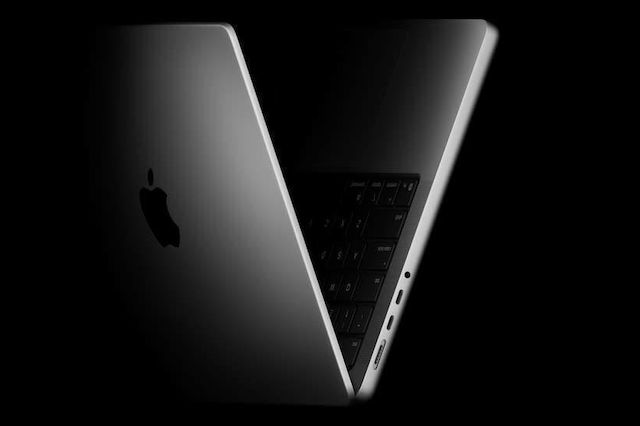
The new M5 MacBook Pro announced

Be the first to leave a comment!