

Laptops with Intel 14th Gen: Are They the Best Processors for High-Performance Ultraportables?
Discover the advantages of laptops with Intel 14th Gen. We analyze performance, efficiency, and whether they’re worth the investment for you.
The short answer: Yes, if you are coming from a laptop older than 3-4 years or if you need great battery life and on-the-go graphics processing power. You probably don’t need it if you already have a high-performance 13th generation model.
Efficiency: The new processors manage energy much better, offering similar performance to previous generations at lower consumption, which means longer battery life.
Graphics: The integrated Intel Arc graphics cards are finally capable of running modern games and decent video editing tasks without a dedicated card.
Integrated AI: They have special neural processing units (NPU) that help with artificial intelligence tasks, from background blur in video calls to image generation.
Read on so you don’t throw your money away and understand exactly what you’re buying.
What exactly do Intel 14th Gen processors involve?
The advantages of laptops with Intel 14th Gen refer to the new range of portable devices equipped with the latest processor architecture from Intel, whether we’re talking about the Meteor Lake series (Core Ultra) or Raptor Lake Refresh (HX series). These laptops promise to be cooler, faster, and smarter in the way they use their resources, marking the transition to an era where AI runs locally, not just in the cloud.
Basically, we have the Core Ultra processors (codename Meteor Lake) which are designed for thin laptops, maximum efficiency, and AI, and we have the Core HX series (Raptor Lake Refresh) which are powerful engines, essentially desktop processors squeezed into a laptop chassis.
The major difference compared to what you knew until now:
Meteor Lake (Core Ultra): Uses a "tile" construction, which allows for greater flexibility and, for the first time, integrates the NPU for artificial intelligence.
Raptor Lake Refresh: Is the refined version of the 13th generation, with slightly higher frequencies and better support for ultra-fast connections.
What are the concrete advantages of a laptop with Intel 14th Gen?

The real benefits are not just in the dry numbers on paper, but in how the laptop feels when you have 50 tabs and an editing program open.
The main advantage is that you can do complex things, such as video rendering or light gaming, on a laptop that doesn't weigh as much as a brick and doesn't heat up like a radiator in winter.
If you're looking for an upgrade, take a look here:


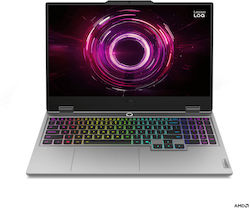


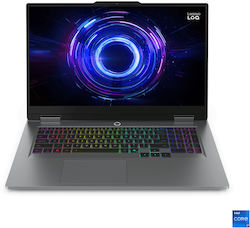
Here’s what you get extra:
Fluid multitasking: You can stream, play games, and keep Discord open without feeling like the system is “lagging.”
Top connectivity: Native support for Wi-Fi 7 (blazing speeds if you have a compatible router) and Thunderbolt 4 to connect any accessory you can think of.
Future-proof: Support for DDR5 and PCIe 5.0 means your laptop will stay relevant for many years to come.
How do they manage to deliver better performance with lower power consumption?
The secret lies in how the processor knows to “sleep” when it has nothing to do and to “run” when you need it.
Meteor Lake processors, for example, manage to deliver the same performance as the previous generation, but in certain scenarios, they use almost half the energy.
You know those moments when you’re on a train or at a café and desperately watch your battery percentage drop? With the new generation, that panic should disappear—or at least show up much later.
What’s new with hybrid architecture and how does it help you?
Imagine you have a team of workers: some are weightlifters (P-cores), others are marathon runners (E-cores), and now there are also some very efficient assistants working at the desk (Low-power E-cores).
The operating system, together with Thread Director technology, knows exactly who should get each task.
If you’re just watching a movie on Netflix, the “weightlifters” are asleep, while the “assistants” handle everything, using extremely little energy.
P-cores (Performance): They kick in when you’re rendering a 4K video or playing Cyberpunk 2077.
E-cores (Efficiency): They handle background processes, antivirus, downloads.
Low-power E-cores: The absolute novelty. They take care of video playback and very light tasks, allowing the main processor to take long breaks.
Can integrated graphics handle modern games?

Yes, much better than you’d expect.
The new integrated Intel Arc graphics (on Core Ultra models) is no longer the joke it used to be; it supports advanced technologies like ray-tracing and XeSS (AI-powered upscaling).
[Comment for client: Please add product carousel from category Laptops with Intel Core Ultra here]
This means you can play popular titles at 1080p and medium settings directly on an ultrabook, without having to carry around a heavy gaming laptop. Basically, you can expect over 60 FPS in games like Fortnite. Still, let’s be realistic: for hardcore gaming at high resolutions, you’ll still want a dedicated GPU.
Here’s an example of a laptop that perfectly combines processor power with portability, ideal if you want to be productive anywhere. Discover the Lenovo ThinkPad T14 Gen 5 to unlock performance and portability! Shop simply and securely on the largest marketplace in Greece.
What is the best ultraportable laptop with these processors?
The best ultraportable laptop is the one you forget you have in your backpack until you need it.
Models equipped with Intel Core Ultra (U or H series) are the stars here. They’re lightweight, open instantly, and run cool.
If you’re the type who works from hubs, airports, or cafes, a lightweight laptop with Intel 14th Gen is a blessing. But a premium laptop also deserves proper protection when you carry it around.
See laptop bags!


What to look for in an ultraportable laptop:
OLED Display: Combined with processor efficiency, it offers a superb visual experience.
Weight under 1.4 kg: Anything above that starts to feel heavy after a day of carrying it around.
Intel Evo Certification: Guarantees that the laptop has passed rigorous speed and battery life tests.
Quick Guide: How to Choose the Right Laptop for Your Needs?
Don’t go for the most expensive model if all you do is write emails and watch TV shows.
You need to make a clear distinction between the two types of Intel 14th Gen.
Skroutz.ro is a safe destination for online shopping. Users have access to a vast catalog with over a million products. We offer a simple and advantageous shopping experience, both in Romania and across Europe.
Choose Core Ultra (Meteor Lake) if: You want long battery life, portability, work in marketing, write code, or do light photo editing.
Choose Core HX (Raptor Lake Refresh) if: You’re a hardcore gamer, do 3D rendering, edit 4K/8K video, and your laptop is plugged in most of the time.
Often, powerful laptops need better ventilation if you keep them on your desk for hours. A good stand can make the difference between a quiet laptop and one that sounds like it’s taking off. Choose a model from the range of laptop stands! Shop easily and safely from the largest marketplace in Greece.
What should you do now?
After reading all this, here are the concrete steps you should follow to make a good decision:
Check what processor you have now (Task Manager -> Performance). If it’s 11th gen or older, the upgrade will be significant.
Decide if you need local AI (NPU). If you don’t use creative software that benefits from this, you might find a good deal on the 13th gen.
Go to Skroutz, filter by processor series (Core Ultra or 14xxx Series), and compare prices.
Frequently Asked Questions about Laptops with Intel 14th Gen
Do laptops with Intel 14th Gen processors overheat?
Core Ultra series models are much more thermally efficient and tend to stay cool during normal use. However, HX series models, being extremely powerful, can generate significant heat during intense workloads, but modern cooling systems usually handle this well.
Do I absolutely need Windows 11 for these processors?
Yes, it is highly recommended. Windows 11 has that optimized Thread Director integrated, which knows how to communicate properly with the processor to distribute tasks between performance and efficiency cores. On Windows 10, you might not get the maximum performance or promised energy efficiency.
Can I upgrade the RAM on these laptops?
It depends on the model. Many ultraportable laptops with Intel Core Ultra use LPDDR5x memory, which is soldered to the motherboard to achieve high speeds and save space. Gaming laptops or thicker workstations often offer SO-DIMM slots for upgrades. Check each model’s specifications.
Is it worth upgrading from 13th to 14th gen?
If you already have an i7 or i9 from the 13th generation, the raw performance differences aren’t huge, somewhere around 5-10% on average. The upgrade is only worth it if you switch to the Core Ultra series for much improved energy efficiency and AI capabilities, not necessarily for pure processing speed.
Photo source: DepositPhotos
Be the first to leave a comment!