

Make the most of your new Smart TV!
You’ve just got your new smart TV and want to learn what features it can offer you and how you can make the most of them? Or maybe you’ve had it for a while, but have no idea about everything it can do? Whatever the case, let’s see how you can fully make use of a smart TV.
Easily find all entertainment apps
A smart TV naturally connects to the internet and offers you countless entertainment options. Just a few might be:
- Music - Spotify, YouTube
- Movies & series - Netflix, Stremio, Disney+
- News - Haystack News
- Cooking - Kitchen Stories
- Weather - AccuWeather
It allows you to organize all the content from all your favorite viewing platforms on one screen. This way, you can easily find what you want to watch. At the same time, it can suggest personalized content based on your preferences.
Thanks to their advanced operating systems, smart TVs offer simple and user-friendly apps that you can install as easily as you can navigate through them.

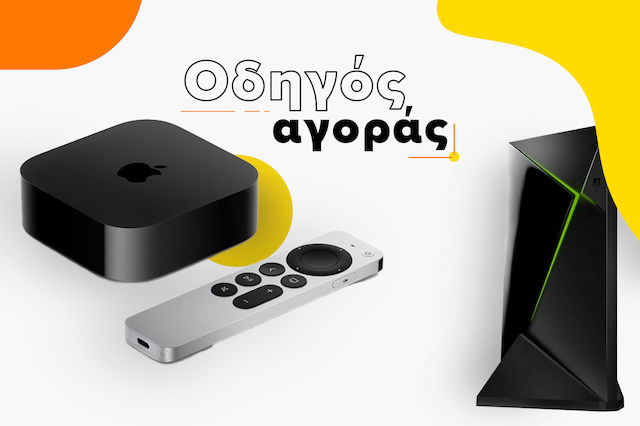
Most smart TVs come with some pre-installed apps and support the installation of a plethora of additional apps. In the event that an app is not supported by your TV - or even if you do not have a smart TV - you have the option to install it using a smart TV stick that supports it.


Remote Control? Your Best Friend!
If there's one thing you need to know about a smart TV, it's that the remote control is your ally in discovering all its features. Nowadays, beyond switching channels and adjusting the volume, you can directly access an application (e.g., Netflix, YouTube, Prime Video, etc.) with just the press of a shortcut button. Additionally, you can navigate to the main menu at any time, where you will see all the content grouped together, and by pressing the same button, you can return to the previous screen.
Finally, many remote controls now give you the ability to find anything you want easily and effortlessly through voice commands. Just say what you want to search for and let the rest be done for you easily and effortlessly!


Connect smart devices
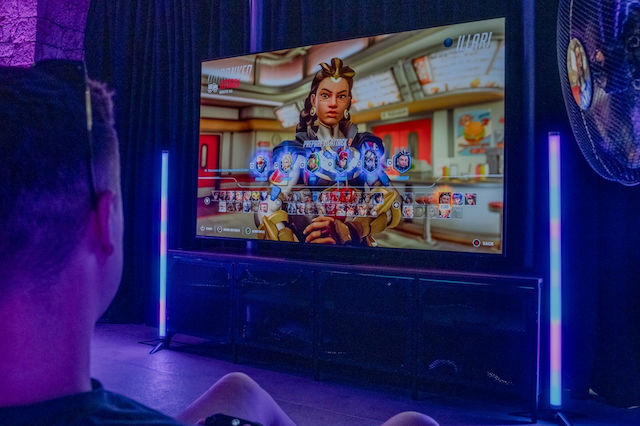
You can easily connect devices such as laptop, tablet or consoles (PlayStation, Xbox) and display their content directly on your TV. You can also use an HDMI Splitter or HDMI Switch, so you can have more than one connected device on your smart TV and switch the picture comfortably whenever you want.


Did you also know that you can send content directly to the TV without even moving from your sofa, using only your smartphone ? Cast videos from YouTube, watch movies and series from a platform you already have installed on your phone, or display videos and photos from your personal collection. All this easily and from the comfort of your sofa, without needing anything more than a few clicks.

The use of a smart TV, however, is not limited only to displaying content from a portable device. It can become the control center for a set of smart devices, which are part of a smart home system. With a simple installation of the corresponding app (e.g. Samsung SmartThings, LG ThinQ), you connect all the smart devices with your TV, creating a profile on the respective platform. Quickly find your favorite movie, adjust the volume on your TV and easily and quickly learn the latest news. But don't stop there...you can set the lighting for a fun movie night or adjust the temperature in your space, at any time.
Enjoy high-quality sound
You can connect your smart TV to a home cinema set to experience the ultimate experience, enjoying content with crystal-clear and surround sound.
If, on the other hand, you want to take your TV to the next level and enjoy high-resolution audio, even during quiet hours or when the rest of the household needs peace and quiet, all you have to do is invest in the right headphones.
Give it the space it deserves
And because a television has a prominent place in every home, make sure you place it in such a spot that it can be comfortably viewed from any angle in a room. Also, make sure there is direct access to the back or sides, where the various ports are located (HDMI, Ethernet, USB, antenna, etc.), so that switching cables is easy.


There is always the option of placing it on a TV stand. A necessary condition for this alternative is to have the required space and not need to move things around constantly.

Be the first to leave a comment!