

Buying Guide for 3D Printers: Find the Best One for You!
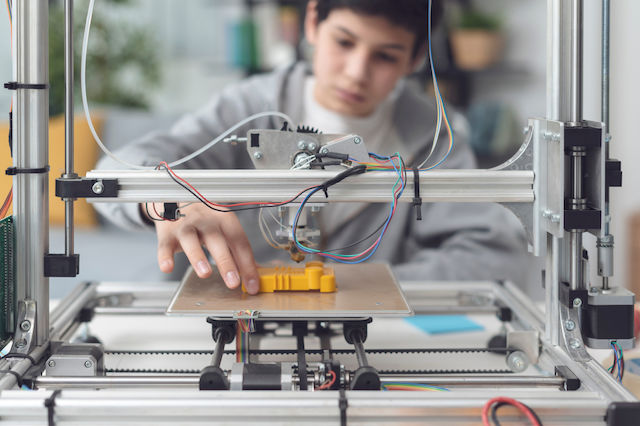
Do you want to create your own items, from decorations and figures to broken parts? A 3D printer is the ultimate tool. Let’s see in simple terms what you need to look out for today.
Which type should I choose?
There are two main categories depending on what you want to create:
Filament Printers (FDM): They use plastic "string" (Filament). They are the most common, affordable, and ideal for functional objects, tools, and large designs.
Resin Printers (SLA/MSLA): They use liquid that hardens with light. They are ideal for incredible detail, such as miniatures for board games or jewelry.
Assembled vs Autonomous
In the past, you had to be a "handyman" to set up a printer. Today there are two options:
Assembled (DIY/Semi-assembled): They come in pieces and you need from 30 minutes to 2 hours to set them up. They are more affordable and you learn how your machine works.
Autonomous (Fully Enclosed / Plug & Play): They come out of the box and print in 10 minutes. They are enclosed (like microwaves), quieter, and ideal if you just want to get the job done without getting your hands dirty.
Extrusion Mechanism (Extruder): The heart of the printer
Where is the motor located?
- Direct Drive: The motor is on the print head. It is the best choice today because it pushes the filament directly. It prints all materials perfectly, especially flexible ones (like rubber).
- Bowden: The motor is at the end and pushes the filament through a tube. It makes the print head lighter (for speed), but struggles with very soft materials.
How does it "grip" the filament?
Single Gear: One gear pushes and a simple wheel presses. Sometimes the filament slips.
Dual Gear: Two gears "bite" the filament from both sides. It is much stronger, does not slip, and is now the standard in good printers.
Speed: "Slow" is now a thing of the past
Forget the old printers that needed 10 hours for a small vase.
The modern printers (CoreXY type) run at speeds of 250-600 mm/s. This means you can finish your prints up to 5 times faster than before!
Printing Materials (Filaments)
- PLA: The easiest. Odorless, eco-friendly, and ideal for beginners.
- PETG: More durable, good for objects exposed to sunlight or heat.
- TPU: Like rubber! Ideal for phone cases and flexible components.
The "Extras" You Should Have
To avoid any hassle, check if the printer has:
Auto-leveling: Automatically adjusts the distance from the bed (essential!).
Magnetic PEI Sheet: A plate that bends so objects come off easily.
Filament Sensor: Automatically stops if the plastic runs out, so your print isn't lost.
Wi-Fi / Cloud: So you can send designs from your phone or PC without cables or SD cards.
Tip: For the best experience, choose a Direct Drive printer with Dual Gear and Auto-leveling. Start with PLA material and you'll see that 3D printing is easier than you imagined!
Don't forget! Many times there may be a difference in a product, based on its overall characteristics and construction. Before you decide, read the reviews of other users to see their opinion too!
Relevant Articles
The most popular 3D printers for every use

3D Printer Filament Buying Guide

The Best Scanners on the Market for 2026
Be the first to leave a comment!