

Buying Guide for WiFi Extenders
Everything you need to know before buying a WiFi Extender for better signal at home!
How many times have you had to change rooms because the Wi-Fi signal is weak? I imagine quite a few, like most of us. As the Wi-Fi signal weakens as someone moves away from the router, the solution to the problem is one: Wi-Fi Extender.
So together we will discover what are the main features you should consider when buying a Wi-Fi Extender, how it works, and exactly what problem it can solve for you.

What does a WiFi Extender do and how does it work?
Let’s start with the basics of this device. A WiFi Extender, also known as a WiFi booster or WiFi repeater, is a device that amplifies the existing wireless signal from a router to extend its coverage area and rebroadcasts the WiFi wireless network it has connected to. In short, extenders connect to your existing network and then create a second one.
You can set up the extender using either your phone or your computer, going through an app or website to connect the router to your Wi-Fi network. For best results, install the Wi-Fi extender between your router and any area that has no signal.
For best results, placement is everything! The No. 1 mistake we all make is putting the Extender in the room where we have no internet at all. But if the Extender has no signal, what will it rebroadcast?
The golden rule is to place the Wi-Fi extender exactly halfway between your router and the spot where you have no signal. Find an outlet where your phone still gets 2-3 WiFi bars, and put it there. That way, the Extender will "suck in" a strong signal and "throw" it to the dead spot!
Your router's location
Before you buy a WiFi Extender, first examine the location of your router. For example, let's assume you have placed your router in the corner of your basement.
With this location, you probably have poor connection on the main and second floor, especially in the opposite corner. And you may be looking for an extender to solve the bad Wi-Fi signal.
If your router is already in a central location and you still have dead Wi-Fi spots in your home, then consider a Wi-Fi Extender
The frequency aspect
Most WiFi Extenders operate on one of the two main WiFi frequencies, 2.4GHz and 5GHz. Both frequencies have their advantages, and your choice may depend on your specific needs. Let’s see how WiFi extenders relate to these frequencies and what features they offer:
- Greater coverage range
- Compatibility with older devices
- Congestion issues if many devices are used on this frequency
- Higher speed
- Less congestion and a more stable connection
- Limited coverage range
2.4 & 5 & 5GHz WiFi Extenders (Tri Band)
- Avoiding congestion
- Higher speeds with the ability to run two 5GHz wireless networks simultaneously
- Better coverage
- More devices, usually with 2.4GHz still available for connected devices that only support this frequency
Overall, depending on the devices you use and your coverage area, the choice between these frequencies will determine which is the best WiFi extender for your needs.

WiFi Technology
When you are looking for a WiFi extender to use with WiFi 7 or WiFi 6 technology, you want an extender that can fully utilize the capabilities of these standards. Below you can see a comparison of their differences and advantages.
The above differences highlight the advantages of WiFi 7 technology compared to WiFi 6, offering even higher speeds, greater performance, and improved management of connected devices. However, the choice between the two depends on your needs and usage environment.
The Choice of WiFi Mesh
Many WiFi Extenders offer the option of WiFi Mesh. This is a complete home WiFi system with multiple access points, designed to eliminate dead zones and provide seamless WiFi throughout your home with higher speeds and more devices. It automatically selects the best node for connections, ensuring a continuous and reliable connection without interruptions.
Mesh WiFi devices usually come with flexible management apps that allow easy installation, configuration, and monitoring of your network, while also receiving software updates that improve your network’s performance and security.
Many modern WiFi Extenders advertise that they offer WiFi Mesh. What does this mean? In a simple extender, a second network is created (e.g. Skroutz_EXT). When you walk around the house, your phone has to disconnect from the Router and connect to the Extender, which causes small interruptions (gaps).
In Mesh, there is only one network name everywhere. As you walk, the system automatically and invisibly transfers you from the Router to the Extender, without you noticing any interruption!
However, note: For an Extender to work as Mesh, your Router must also support the same technology from the same company (e.g. TP-Link OneMesh with a TP-Link Router). If you connect it to the simple router provided by your internet provider (e.g. Cosmote, Nova), the "Mesh Extender" will work like a classic, simple Extender.
Ethernet Ports
It is obvious that WiFi Extenders are wireless by nature. In other words, most of the time they do not connect to your router with an Ethernet cable.
That said, most extenders have an extension mode (or access point). This will allow you to connect it to your router using Ethernet.
In extension mode, the WiFi Extender will be faster and will have better coverage. But you will need to run an Ethernet cable all the way through your house to reach it.
You can also use the Ethernet port to connect to a device.
Let’s say that a wired connection to a computer or another device is important to you. In that case, using an Ethernet connection from your extender may be a good option.
It is obvious that WiFi Extenders receive the internet wirelessly and share it wirelessly. However, almost all of them also have an Ethernet port (network cable) on the bottom. This port can save you in two ways:
Access Point Mode: If you have the ability to run a long Ethernet cable from your main router to the room where you have no signal, you can plug the cable into the Extender! This way, the Extender avoids wireless "fatigue," gets 100% clean internet through the cable, and broadcasts it fresh into the room. It is the ultimate solution for maximum speed!
Connecting wired devices: If you place the Extender in the living room (receiving a wireless signal from the router), you can run a small cable from the Extender to your Smart TV, PlayStation, or PC. This way, you provide internet to devices that may not have WiFi at all!

Security
Many WiFi Extenders have built-in security features. For example, some brands have mobile apps with adjustable security tools. This way, you can monitor traffic, start devices, and ensure that you do not have malicious software.
In general, buying a WiFi extender can be a practical solution for upgrading your wireless network, giving you the ability to enjoy a reliable connection throughout your home. Factors such as settings, security, coverage, and the brand can help you with your purchase.
Don’t forget! By taking the above individual features into account and combining those that match your needs and how you use your WiFi Extender, you can end up with the ideal choice for you. Before deciding, you can also take a look at other users’ reviews, so you can see their opinions and experiences too, which may help you reach the final decision much more easily.
And if you’ve checked the features, also see the best WiFi Extenders on the market.
Relevant Articles
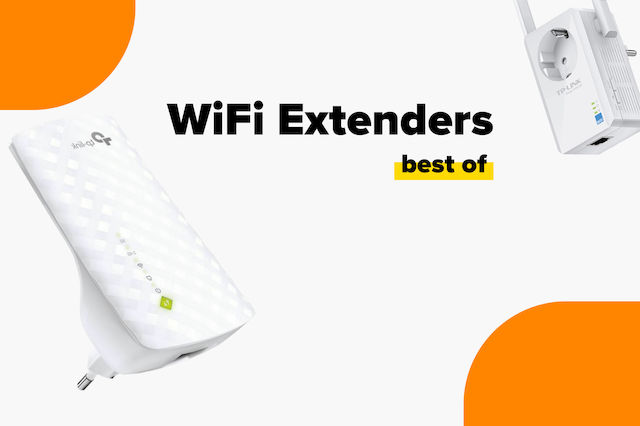
The Best WiFi Extenders on the Market

Buying Guide for Smart Hubs: Find the best one for you!
Guide: How to Choose a TV Stand
Be the first to leave a comment!